

Introduction
A Virtual Private Network (VPN) is a secure connection between two or more devices that ensures privacy and anonymity when using the internet. A VPN can be used to access websites and services that are not available in your region, as well as to keep your online activities hidden from prying eyes. In this article, we will explain what a VPN is, how it works, and the benefits of using one.
Definition of a VPN
A VPN is a private network that uses a public network (usually the internet) to connect remote sites or users together. The VPN uses “virtual” connections routed through the internet from the business’s private network or a third-party VPN service to the remote site or person. It can provide a secure connection, hide your IP address, and make sure that your data is encrypted and protected.
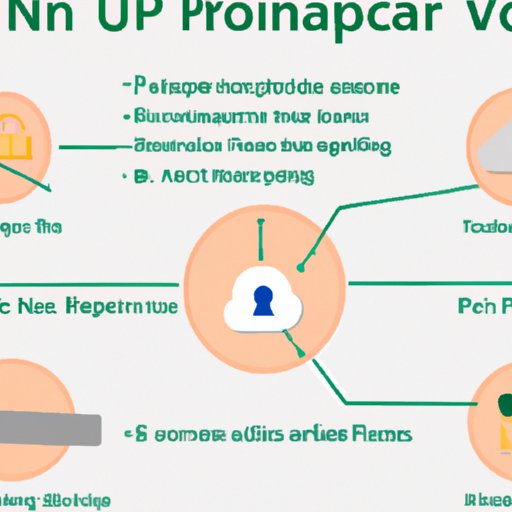
Overview of How a VPN Works
When you connect to a VPN, it creates an encrypted tunnel between your device and the VPN server. All of your internet traffic is routed through this tunnel so that no one can monitor or intercept it. The VPN server acts as a middleman between you and the internet, routing all of your requests for websites and other content through its own servers. This means that your IP address is hidden from view and that any websites you visit will only see the IP address of the VPN server instead.
Benefits of Using a VPN
There are many benefits to using a VPN. Here are some of the most important ones:
Security and Privacy
Using a VPN adds an extra layer of security to your online activities. It encrypts all of your data so that no one can spy on your web browsing habits or intercept your sensitive information. It also prevents your ISP from tracking your activities, which can be especially useful if you’re using public WiFi networks.
Access to Geo-Restricted Content
Many streaming services and websites are blocked in certain countries due to geo-restrictions. With a VPN, you can bypass these blocks and access content from anywhere in the world. You can also use a VPN to watch region-specific content, such as US Netflix shows that are not available in other countries.
Anonymity
Using a VPN helps protect your identity online. It masks your real IP address and makes it appear as if you are accessing the internet from another location. This makes it difficult for anyone to track your online activities.
Improved Network Performance
Using a VPN can improve the performance of your network by reducing latency and increasing speeds. This is especially useful if you’re playing online games or streaming video content.
Setting Up a VPN
Setting up a VPN is relatively easy. Here’s a step-by-step guide to help get you started:
- Choose a VPN service provider.
- Download and install the VPN client software.
- Connect to a server in the country of your choice.
- Enjoy secure, anonymous browsing.
There are different types of VPNs available, including free and paid options. Free VPNs are generally less reliable and secure than paid services, so it’s important to do your research before choosing one.
Troubleshooting Common VPN Issues
If you’re having trouble connecting to a VPN, there are a few things you can try:
Identifying the Problem
Start by determining what the problem is. Is it a connection issue, or is it a problem with the VPN itself? If it’s a connection issue, make sure you have a stable internet connection and that you’re connected to the correct server. If it’s a problem with the VPN, contact the customer support team for assistance.
Potential Solutions
If you’re still having trouble, here are a few potential solutions:
- Check your firewall settings to make sure that your VPN is allowed to pass through.
- Try switching to a different server or protocol.
- Reinstall the VPN client software.
Conclusion
A VPN is a great way to stay secure and anonymous while browsing the internet. It can also be used to access geo-restricted content and improve network performance. Setting up a VPN is relatively easy, and there are plenty of options available. If you’re having trouble connecting to a VPN, make sure you check your firewall settings and try switching to a different server or protocol.
(Note: Is this article not meeting your expectations? Do you have knowledge or insights to share? Unlock new opportunities and expand your reach by joining our authors team. Click Registration to join us and share your expertise with our readers.)