

Introduction
Starting an online business can be overwhelming, but with the right tools, it doesn’t have to be. Shopify is one of the most popular ecommerce platforms available today, offering users access to powerful features and resources to help them build and manage their businesses. In this article, we’ll cover the essential steps you need to take to get started with Shopify and start building your business.
What is Shopify?
Shopify is an all-in-one ecommerce platform that enables anyone to easily create an online store and start selling products. It provides users with access to a range of features, such as hosting, website design, payment processing, inventory management, marketing tools, and analytics. With Shopify, you can quickly set up your store, add products, and start generating sales.
Why Start a Business on Shopify?
Starting a business on Shopify has many advantages. For starters, it’s user-friendly and easy to use, even for those with limited technical knowledge. It also offers comprehensive features and resources to help you manage and grow your business. Additionally, Shopify stores are secure and reliable, so you don’t have to worry about downtime or security issues. Finally, Shopify is cost-effective, making it ideal for businesses of any size.

Research Your Niche and Develop a Business Plan
Before you dive into setting up your Shopify store, it’s important to take some time to research your niche and develop a business plan. This will help you set clear goals for your business, identify potential customers, and create a roadmap for success.
Analyzing the Market
The first step in developing a business plan is to analyze the market. Look at the current trends in your niche and identify areas of opportunity. Who are your competitors, what are they doing well, and where could you improve upon their strategies? By understanding the market, you’ll be better equipped to develop a successful business plan.
Establishing Goals
Once you’ve identified potential opportunities in the market, it’s time to establish some goals for your business. What do you want to achieve in the short term, and what are your long-term objectives? Having clearly defined goals will help you stay focused and motivated as you work towards launching your store.
Creating a Business Plan
Now that you’ve done your research and established some goals, it’s time to create a business plan. This should include a detailed plan of action, outlining the steps you need to take to launch and grow your business. Be sure to include information about your target market, budget, marketing strategy, and more. Your business plan will serve as a roadmap for your business and guide you as you move forward.
Choose the Right Shopify Plan for Your Business
Once you’ve developed your business plan, it’s time to choose the right Shopify plan for your business. Shopify offers several plans, ranging from basic to advanced, to suit the needs of different types of businesses.
Overview of Shopify Plans
The basic Shopify plan includes all the essential features you need to get started, including unlimited products, 24/7 support, manual order creation, discount codes, and fraud analysis. The Shopify plan adds additional features such as gift cards, professional reports, and abandoned cart recovery. The Advanced Shopify plan includes advanced report building, advanced shipping, and third-party calculated shipping rates. Finally, the Shopify Plus plan is designed for larger businesses and offers custom solutions and dedicated account management.
Choosing the Right Plan for Your Business
When choosing a Shopify plan, consider your budget, the features you need, and the size of your business. If you’re just starting out, the basic plan may be sufficient. However, if you’re running a larger business, the Advanced or Shopify Plus plans may be more appropriate. Ultimately, the right plan for you depends on your unique needs and goals.
Set Up Payment Options
Once you’ve chosen a Shopify plan, it’s time to set up payment options. This will enable you to accept payments from customers and process orders.
Connecting a Payment Gateway
The first step is to connect a payment gateway to your Shopify store. Shopify supports a variety of payment gateways, including PayPal, Stripe, and Authorize.net. Simply select the payment gateway you want to use and follow the instructions to connect it to your store.
Setting Up Other Payment Options
In addition to payment gateways, you may also want to set up other payment options, such as cash on delivery or bank transfers. Shopify allows you to set up these payment options in your store settings. You can also add additional fees for certain payment methods, such as a convenience fee for cash on delivery orders.
Design Your Online Storefront
Now that you’ve set up payment options, it’s time to design your online storefront. Shopify makes it easy to customize your store’s look and feel, so you can create a unique shopping experience for your customers.
Selecting a Theme
The first step is to select a theme for your store. Shopify offers a wide selection of free and paid themes to choose from. When selecting a theme, keep in mind your brand identity and the overall aesthetic you want to achieve. Also, make sure the theme you choose is mobile-friendly, as more and more people are shopping on their phones and tablets.
Customizing Your Storefront
Once you’ve selected a theme, you can begin customizing your storefront. Shopify offers a range of customization options, including changing the colors, fonts, and layout of your store. You can also add custom images, videos, and text to create a unique shopping experience for your customers.
Adding Pages and Content
In addition to customizing the look and feel of your store, you’ll also need to add pages and content. This includes creating an “About Us” page, adding product descriptions, and writing blog posts. You should also add a contact page so customers can easily reach out with questions or feedback.

Add Products to Your Shopify Store
Now that your store is set up and ready to go, it’s time to add products. Shopify makes it easy to add products to your store, allowing you to quickly get up and running.
Creating Product Collections
The first step is to create product collections. This will help you organize your products and make them easier for customers to find. You can create collections based on categories, such as clothing, electronics, or home decor. You can also create collections based on seasonal items, new arrivals, or best sellers.
Adding Products to Your Store
Once you’ve created your product collections, you can begin adding products to your store. Shopify allows you to easily upload product images, descriptions, prices, and other details. You can also add tags to help customers find relevant products. Once you’ve added all the necessary information, your products will be ready to go.
Promote Your Shopify Store
Now that your store is up and running, it’s time to promote it. There are several ways to do this, including social media, SEO, and email marketing.
Utilizing Social Media
Social media is a great way to reach potential customers and spread awareness of your store. Create accounts on popular platforms such as Facebook, Twitter, and Instagram, and post regularly to engage with your audience. You can also use social media to run promotions and drive traffic to your store.
Implementing SEO Strategies
Search engine optimization (SEO) is another effective way to promote your store. By optimizing your content for relevant keywords, you can increase your visibility in search engine results and drive more organic traffic to your store. You can also use SEO tools such as Google Analytics to track your progress and make adjustments as needed.
Utilizing Email Marketing
Email marketing is another great way to promote your store. You can use email campaigns to reach out to existing customers, as well as attract new ones. Include special offers, discounts, and other incentives to encourage customers to make purchases. You can also use email campaigns to alert customers of new products and updates.
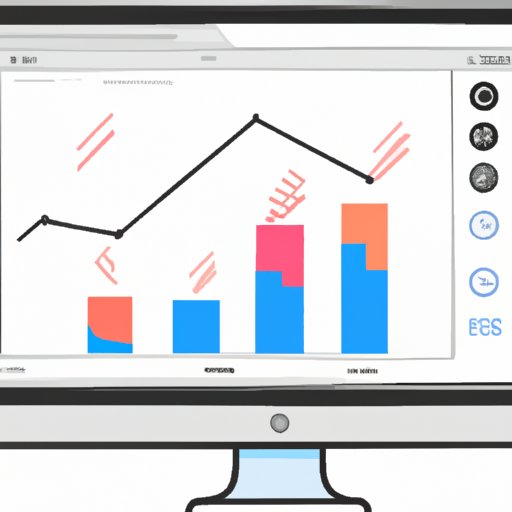
Monitor Your Shopify Store Performance
Finally, it’s important to monitor your store’s performance. Shopify provides several tools to help you track your sales and conversions, as well as analyze data to identify areas of improvement.
Analyzing Data
Shopify offers a range of analytics tools to help you track your store’s performance. You can use these tools to analyze customer behavior, identify trends, and measure the effectiveness of your marketing efforts.
Tracking Sales and Conversions
You can also use Shopify to track sales and conversions. This will help you understand which products are performing well and which ones need improvement. You can also use this data to adjust your pricing and optimize your marketing campaigns.
Making Adjustments
Finally, you can use the data you collect to make adjustments to your store. This could include changing your design, updating product descriptions, or tweaking your marketing strategies. By continuously analyzing and adjusting, you can ensure your store is optimized for maximum performance.
Conclusion
Starting a business on Shopify is a great way to get your business up and running quickly. With the right tools, resources, and strategies, you can create a successful store and start generating sales. From researching your niche and developing a business plan to setting up payment options, designing your online storefront, promoting your store, and monitoring performance, there are many steps involved in launching a Shopify store. But with the right guidance and dedication, you can turn your Shopify store into a profitable business.
(Note: Is this article not meeting your expectations? Do you have knowledge or insights to share? Unlock new opportunities and expand your reach by joining our authors team. Click Registration to join us and share your expertise with our readers.)