

Introduction
Nowadays, it has become easier than ever to access and listen to music. With just a few clicks, you can have your favorite songs playing in no time. However, if you want to take your music with you wherever you go, you might be wondering how to download music to your phone. This article will provide a step-by-step guide on how to do just that.
Use a Streaming Music Service
One of the most popular ways to listen to music is through streaming services such as Spotify, Apple Music, and Pandora. These services allow you to access millions of songs for a monthly fee. Additionally, they often include curated playlists and personalized recommendations so you can easily find new music to listen to.
Setting up a streaming music service is relatively easy. All you need to do is create an account, choose a plan, and start listening. Most services also offer a free trial period so you can test them out before committing to a paid plan.
Download an App for Downloading Music
If you don’t want to commit to a monthly subscription, there are plenty of apps available that allow you to download songs directly to your phone. Popular options include SoundCloud, Bandcamp, and Amazon Music. These apps typically require you to purchase individual songs or albums, but some offer free downloads as well.
To get started, simply download and install the app from the App Store or Play Store. Once installed, you’ll be able to browse the selection of music and purchase any songs or albums you like.
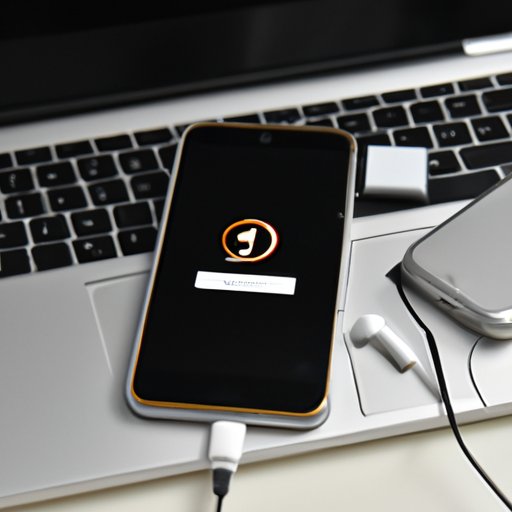
Transfer Music from Your Computer to Your Phone
If you already have music stored on your computer, you can easily transfer it to your phone. To do this, you’ll need to make sure the files are in a compatible format, such as MP3 or AAC. You can then use a USB cable or wireless connection to transfer the files to your phone.
Once the files have been transferred, you’ll be able to access them from your phone’s music library. You can then create playlists, add songs to your favorites, or even share them with friends.
Purchase Songs Directly from the iTunes Store
The iTunes Store is another great option for purchasing music directly to your phone. The store offers millions of songs from popular artists, as well as exclusive tracks and albums. Purchases are made using your Apple ID, and the songs will automatically be added to your library.
In addition to buying individual songs, you can also purchase entire albums or subscribe to Apple Music. This will give you access to Apple’s entire catalog of music, as well as personalized playlists and radio stations.
Sync Music from Your iTunes Library using Apple Music
If you already have a large collection of music stored in your iTunes library, you can easily sync it with Apple Music. This will allow you to access all of your music from any device, including your phone. To do this, simply open the Apple Music app and sign in with your Apple ID. You’ll then be able to access your entire library of music.
Download Music from YouTube
YouTube is another great source for music. Many artists have their own channels where they post their songs for free. You can also find covers, remixes, and live performances from other users. To download music from YouTube, you’ll need to use a third-party app such as TubeMate or KeepVid.
These apps allow you to search for music and download it directly to your phone. Once downloaded, the songs will be stored in your music library and you’ll be able to access them anytime.
Use a Bluetooth Connection to Transfer Music from Another Device
If you have music stored on another device, such as a laptop or tablet, you can easily transfer it to your phone using a Bluetooth connection. To do this, simply pair the two devices and then select the songs you want to transfer. The transfer process should only take a few minutes and the songs will be added to your phone’s music library.
Conclusion
Downloading music to your phone is easy and convenient. Whether you want to use a streaming service, an app, or transfer music from another device, there are plenty of options available. With these steps, you’ll be able to download your favorite songs and enjoy them anytime, anywhere.
(Note: Is this article not meeting your expectations? Do you have knowledge or insights to share? Unlock new opportunities and expand your reach by joining our authors team. Click Registration to join us and share your expertise with our readers.)