
Introduction
Google Tag Manager (GTM) is a free tool developed by Google that helps manage website tags. It enables users to quickly and easily add, edit, and remove tags from their websites without needing to modify code. GTM allows users to track user behavior, set up custom events, and implement third-party tags, as well as optimize their websites with automated testing and triggering of tags based on events.

Exploring the Basics of Google Tag Manager: What It Is and How It Works
Google Tag Manager is an easy-to-use tool that simplifies the process of managing website tags. It allows users to quickly and easily add, edit, and remove tags without having to modify code, making it a powerful tool for website owners and digital marketers. Let’s explore the basics of GTM, including what it is and how it works.
What is Google Tag Manager?
Google Tag Manager (GTM) is a free tool developed by Google that helps manage website tags. GTM is designed to enable users to quickly and easily add, edit, and remove tags from their websites without needing to modify code. Tags are small pieces of code that are used to track user behavior, measure website performance, and collect data for analytics and marketing purposes. GTM makes it easier for users to manage tags on their websites, saving them time and effort.
How Does it Work?
GTM works by enabling users to create containers on their websites, which are essentially repositories for tags. Users can then add, edit, and remove tags within these containers without having to manually modify code. GTM also provides users with the ability to trigger tags based on events, such as page visits or clicks. This allows users to track user behavior, measure website performance, and collect data for analytics and marketing purposes.
Google Tag Manager Components
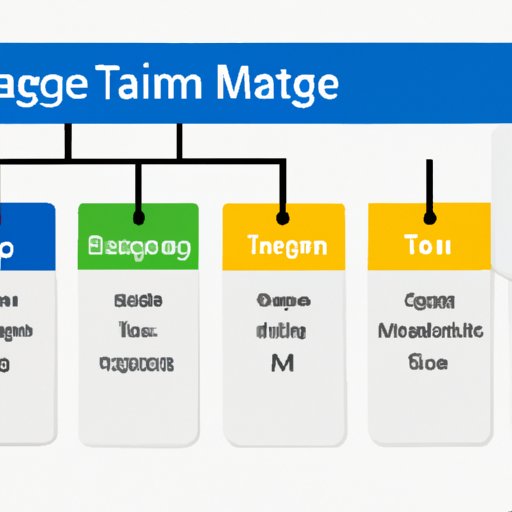
GTM consists of three main components: Tags, Triggers, and Variables. Tags are small snippets of code that are used to track user behavior, measure website performance, and collect data for analytics and marketing purposes. Triggers are rules that determine when a tag should be fired. Variables are pieces of data that can be used in conjunction with tags and triggers to provide more detailed information about user behavior.
A Step-by-Step Guide to Setting Up Google Tag Manager
Now that you understand the basics of GTM, let’s look at how to set it up. Follow this step-by-step guide to get started with GTM.
Creating a Container in Google Tag Manager
The first step in setting up GTM is creating a container. A container is essentially a repository for tags. To create a container, log into your Google account and navigate to the Google Tag Manager page. From there, click “Create Account” and enter the necessary information. Once the account has been created, click “Create Container” and enter the desired name for the container.
Publishing Your Container
Once you have created your container, you will need to publish it in order for it to become active. To do this, click “Publish” in the upper right corner of the screen. This will activate the container and make it available for use.
Adding Tags to Your Container
Now that your container is published, you can begin adding tags to it. To do this, click “Tags” in the left sidebar and then “New Tag.” From here, you can select the type of tag you would like to add and enter any necessary information. Once you have completed the setup process, click “Save” and then “Publish” to make the tag active.
Understanding the Benefits of Using Google Tag Manager
Using GTM offers several benefits, including increased efficiency, improved accuracy, cost savings, and increased visibility. Let’s take a closer look at each one.
Increased Efficiency
GTM makes it easier to manage tags on your website, which can save you time and effort. Instead of having to manually add, edit, and remove tags, you can do it all within GTM. This can help streamline the process and make it more efficient.
Improved Accuracy
GTM also helps ensure that tags are added accurately and consistently. By using GTM, you can ensure that tags are correctly implemented and that they are firing correctly. This can help improve the accuracy of your data and give you better insights into user behavior.
Cost Savings
Using GTM can also help you save money. Since GTM is free, you can avoid the costs associated with hiring a developer to manage your tags. Additionally, since GTM makes it easier to manage tags, you can save time and reduce labor costs.
Increased Visibility
Finally, GTM can help you gain more visibility into user behavior. By tracking user behavior through GTM, you can gain valuable insights into how visitors interact with your website and what actions they take. This can help you make better decisions about how to optimize your website and improve your overall performance.
Leveraging Google Tag Manager for Your Website
Now that you understand the benefits of using GTM, let’s look at how you can use it to optimize your website. Here are some tips for leveraging GTM.
Tracking User Behavior
GTM makes it easy to track user behavior. By adding tags to your website, you can track visitors’ actions and gain valuable insights into how they interact with your website. This can help you identify areas of improvement and optimize your website for better performance.
Setting Up Custom Events
GTM also allows you to set up custom events. This means that you can track specific actions that visitors take on your website, such as clicking a button or visiting a certain page. By tracking these events, you can gain even more insights into user behavior and optimize your website accordingly.
Implementing Third-Party Tags
Finally, GTM makes it easy to add third-party tags to your website. This can be useful if you want to use services like Google Analytics or Facebook Ads. With GTM, you can easily add and manage these tags without having to manually modify code.
Create Custom Tags with Google Tag Manager
In addition to the standard tags provided by GTM, you can also create custom tags. This can be useful if you want to track more granular information or implement unique tracking solutions. Here are some tips for creating custom tags with GTM.
Creating Custom HTML Tags
You can create custom HTML tags with GTM. This involves writing custom code that will be executed when a tag is triggered. This can be useful for tracking more complex user actions or collecting additional data.
Utilizing Custom Image Tags
GTM also allows you to create custom image tags. These tags can be used to track user behavior on websites that don’t support JavaScript. You can also use these tags to track conversions or set up A/B tests.
Implementing JavaScript Variables
Finally, you can also use GTM to create custom JavaScript variables. These variables can be used to store data that can be used in conjunction with tags and triggers. This can be useful for tracking more complex user behavior or providing additional information about visitors.

Optimizing Your Website with Google Tag Manager
Once you have set up GTM and created custom tags, you can start optimizing your website. Here are some tips for leveraging GTM to optimize your website.
Automating Testing
GTM makes it easy to automate testing. You can use GTM to create multiple versions of a web page and then test them automatically to determine which version performs best. This can help you optimize your website for better performance.
Triggering Tags Based on Events
GTM also allows you to trigger tags based on events. This means that you can track user behavior more accurately and gain valuable insights into how visitors interact with your website. This can help you identify areas of improvement and optimize your website accordingly.
Utilizing Data Layer Variables
Finally, you can also use GTM to create data layer variables. These variables can be used to store data that can be used in conjunction with tags and triggers. This can be useful for tracking more complex user behavior or providing additional information about visitors.
Conclusion
Google Tag Manager is a powerful tool for tracking user behavior, setting up custom events, and implementing third-party tags. It can also help you optimize your website with automated testing and triggering of tags based on events. By leveraging GTM, you can save time and effort while gaining valuable insights into user behavior.
(Note: Is this article not meeting your expectations? Do you have knowledge or insights to share? Unlock new opportunities and expand your reach by joining our authors team. Click Registration to join us and share your expertise with our readers.)