
Introduction
Computers are an essential part of our daily lives. From helping us to pay bills online to connecting us with family and friends, computers have become an integral part of modern life. But what is a computer and how does it work? This article will explore the components of a computer, operating systems, processors, and the connections between software, hardware, and networking. It will also look at common issues and troubleshooting techniques for computers.

Explaining the Components of a Computer and How They Work Together
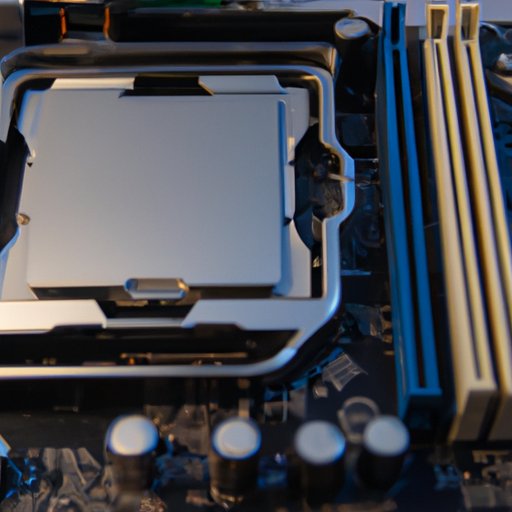
A computer consists of several components that work together to perform tasks. The most important component is the Central Processing Unit (CPU), which acts as the “brain” of the computer. The CPU processes instructions from software programs and sends signals to other components to carry out these instructions. Random Access Memory (RAM) is another important component of a computer. RAM is a form of temporary storage that allows the CPU to access data quickly. Storage devices such as hard drives and solid-state drives provide long-term storage for files and programs.
The motherboard is the platform that connects all the components of the computer. It contains slots for expansion cards such as graphics cards or sound cards. Input/output connections allow users to connect peripherals such as keyboards, mice, and monitors. Finally, the power supply converts alternating current (AC) electricity into direct current (DC) electricity, providing power to all the components.

An Overview of Operating Systems and Their Role in Computer Functionality
An operating system (OS) is a set of software that manages the hardware and software resources of a computer. Popular operating systems include Microsoft Windows, Apple macOS, and Linux. Each OS has its own features and capabilities. For example, Windows provides a graphical user interface (GUI) that allows users to easily navigate applications, while macOS offers powerful photo and video editing tools. Linux is known for its security and stability, making it popular among web developers.
Operating systems allow users to interact with their computers and run programs. They handle tasks such as memory management, task scheduling, and file management. Operating systems also provide drivers that enable communication between hardware and software components.

Examining the Different Types of Computer Processors
Processors are the “brains” of computers. They are responsible for executing instructions from software programs. Processors can be single-core or multi-core, meaning they contain one or more processing cores, respectively. Single-core processors are less powerful but more energy efficient than multi-core processors, which offer higher performance but require more power. Popular types of processors include Intel Core i3, Intel Core i5, Intel Core i7, AMD Ryzen 3, AMD Ryzen 5, and AMD Ryzen 7.
Describing the Connections Between Software, Hardware, and Networking
Software is a set of instructions that tells the computer what to do. It can be installed on the computer’s hard drive or stored in the cloud. Examples of software include word processing programs, web browsers, and video games. Hardware refers to the physical components of a computer such as the CPU, RAM, storage devices, and input/output connections. Networking involves connecting multiple computers together to share data and resources.
Software relies on hardware to function. For example, a web browser needs a processor and RAM to run. Networking involves both hardware and software components. Routers, switches, and cables are used to create a physical connection between computers, while protocols like TCP/IP are used to communicate over the network.
Investigating Common Issues and Troubleshooting Techniques for Computers
Common computer issues include slow performance, frequent crashes, and errors when opening programs. To fix these problems, users should check for updates and scan for viruses. If the issue persists, users may need to reinstall the operating system or replace hardware components. In some cases, users may need to consult an IT professional for assistance.
Troubleshooting techniques for computers involve diagnosing the source of the problem and then taking steps to fix it. This often involves using diagnostic tools to test hardware components and running virus scans to detect malware. It also involves researching potential solutions online and following the instructions provided.
Conclusion
In conclusion, computers are complex machines made up of several components that work together to perform tasks. Understanding the components of a computer, operating systems, processors, and the connections between software, hardware, and networking is key to understanding how computers work. Common issues and troubleshooting techniques can help users diagnose and fix computer problems. By understanding the basics of computer operation, users can keep their computers running smoothly.
(Note: Is this article not meeting your expectations? Do you have knowledge or insights to share? Unlock new opportunities and expand your reach by joining our authors team. Click Registration to join us and share your expertise with our readers.)