
Introduction
Robot vacuums are a modern convenience that can help keep your home clean and dust-free with minimal effort. But when your robot vacuum isn’t working, it can be a huge hassle. To save yourself the headache of dealing with a malfunctioning robot vacuum, it’s important to understand why your robot vacuum isn’t working and what you can do to fix it.
Definition of a Robot Vacuum
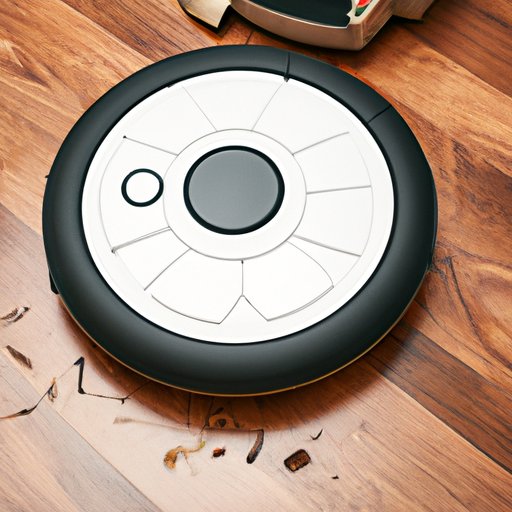
A robot vacuum is an automated device that uses sensors to detect dirt and debris in your home and then moves around your floors to suck it up. It works by using brushes, suction power, and powerful filters to pick up dirt and debris from carpets, hardwood floors, tile, and other surfaces. Most robot vacuums come with remote control capabilities and some even feature voice-activated commands.
Overview of Common Reasons Why Your Robot Vacuum Isn’t Working
There are several possible explanations for why your robot vacuum isn’t working. Some of the most common reasons include:
- Power source issues
- Clogged or worn-out filters and brushes
- Objects blocking the path of the vacuum
- Software updates needed
Troubleshooting Common Reasons Why Your Robot Vacuum Isn’t Working
To diagnose and repair any problems with your robot vacuum, it’s important to first identify the root cause. Here are some simple steps you can take to troubleshoot and fix common problems with your robot vacuum:
Check the Power Source
The first thing you should do if your robot vacuum isn’t working is to check the power source. Make sure the power cord is securely plugged into the wall outlet and that the battery is properly charged. If the problem persists, you may need to replace the power cord or battery.
Check the Filters and Brushes
Another common issue that can cause your robot vacuum to malfunction is clogged or worn-out filters and brushes. Inspect the filter and brush for signs of wear and tear or blockage. If the filter or brush needs to be replaced, make sure to purchase a compatible replacement part.
Check for Obstructions
If your robot vacuum isn’t moving, it could be because there is an object blocking its path. Check for small objects like toys, cords, or wires that may be preventing your robot vacuum from moving freely. Once the obstruction has been removed, your robot vacuum should resume normal operation.
Check for Software Updates
Robot vacuums usually require software updates to ensure optimal performance. Check the manufacturer’s website for available software updates and install them as soon as possible. This will help keep your robot vacuum running smoothly.

Diagnose and Fix Problems with Your Robot Vacuum
When your robot vacuum isn’t working, there are a few steps you can take to diagnose and fix the problem. First, check the power source, filters, and brushes. Then, make sure there are no obstructions blocking the path of the vacuum. Finally, check for any available software updates.
How to Identify and Resolve Issues with Your Robot Vacuum
If your robot vacuum is not responding to commands or is showing signs of wear and tear, it might be time to call in a professional. An experienced technician will be able to diagnose and resolve any issues with your robot vacuum quickly and efficiently. They can also advise you on any necessary repairs or replacements.
Is it Time for a Replacement? Examining the Life Cycle of Your Robot Vacuum
Robot vacuums have an average life cycle of about three years. After this period of time, the vacuum may start to show signs of wear and tear, such as decreased suction power or difficulty navigating. If your robot vacuum is more than three years old, it may be time to consider replacing it with a newer model.
What to Do When Your Robot Vacuum Just Won’t Work
Sometimes, despite your best efforts, your robot vacuum just won’t work. In these cases, it’s important to identify the source of the problem and take the appropriate steps to fix it.
How to Locate and Repair Malfunctioning Parts in Your Robot Vacuum
If your robot vacuum isn’t working, the first step is to identify the source of the problem. Look for signs of damage or wear and tear on the filters, brushes, and other parts. If you find any damaged or malfunctioning parts, you can either replace them yourself or contact a professional for help.
The Ultimate Guide to Getting Your Robot Vacuum Back Up and Running
Once you’ve identified and repaired any malfunctioning parts in your robot vacuum, it’s time to get it back up and running. To do this, first make sure the power source is working and that all filters and brushes are clean and free of debris. Then, run a few test cycles to make sure everything is functioning properly.
Conclusion
When your robot vacuum isn’t working, it can be a big headache. But with a little bit of troubleshooting and maintenance, you can get your robot vacuum up and running again in no time. Make sure to check the power source, filters, and brushes and look for any obstructions that may be preventing your robot vacuum from working properly.
(Note: Is this article not meeting your expectations? Do you have knowledge or insights to share? Unlock new opportunities and expand your reach by joining our authors team. Click Registration to join us and share your expertise with our readers.)