
Introduction
Color grading is a digital darkroom technique used to adjust the colors of an image. It’s also referred to as color correction or color balancing, and it’s essential for producing high-quality photos. Color grading allows photographers to enhance or modify the colors of their images to create a desired look or mood. It helps bring out the best in photographs by improving their overall tonal range, contrast, and saturation.
A Beginner’s Guide to Color Grading in Photography
If you’re new to color grading, don’t worry—it’s easy to learn. Here’s a quick overview of the most popular techniques used to grade photos.
Overview of Color Grading Techniques
The most common color grading techniques are adjusting color balance, contrast, and saturation; using curves and levels; working with color wheels; and applying color lookup tables (LUTs). All of these techniques can be used to improve the overall look of a photograph.
Understanding Color Balance and Contrast
Color balance is essential for accurately reproducing colors in an image. It involves adjusting the red, green, and blue channels in an image to achieve the desired result. When done correctly, it ensures that the colors in an image appear natural and accurate. Contrast is another important factor in color grading. Increasing contrast can help bring out details in an image, while reducing contrast can create a softer, more dreamy look.
Adjusting Colors with Curves and Levels
Curves and levels are two of the most powerful tools for adjusting colors in an image. Curves allow you to make adjustments to specific areas of an image, while levels allow you to make global changes. Both tools can be used to adjust the brightness, contrast, and saturation of an image.
Working with Color Wheels
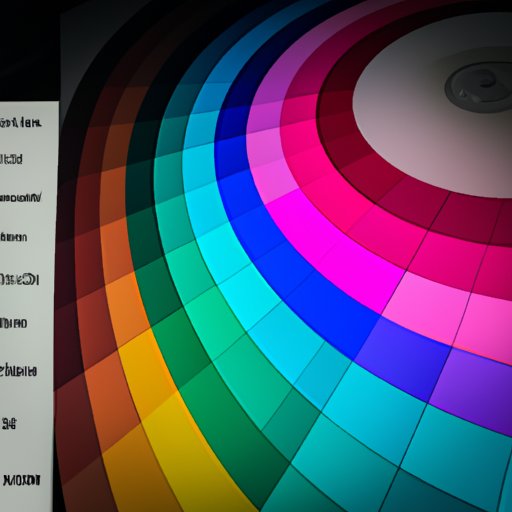
Color wheels are a great way to experiment with different color combinations. They allow you to adjust the hue, saturation, and luminance of individual colors in an image. Color wheels are particularly useful for creating dramatic effects and making subtle color adjustments.
Applying Color Lookup Tables (LUTs)
Lookup tables are pre-made color presets that can be applied to an image. These presets are designed to emulate certain lighting conditions and color palettes. LUTs are especially useful for quickly achieving consistent color results across multiple images.
How Professional Photographers Use Color Grading to Enhance Images
Professional photographers often use color grading to enhance the look of their images. Here are a few ways they use color grading to improve the quality of their work.
Enhancing Specific Color Areas
Color grading can be used to selectively enhance or reduce the intensity of certain colors in an image. This is particularly useful for bringing out the details in shadows and highlights. It can also be used to emphasize certain elements in a composition, such as skin tones or other colors.
Creating a Dramatic Look
Color grading can be used to create a dramatic look in an image. This can be done by increasing contrast and saturation, or by adding a color cast to the image. By carefully adjusting the colors in an image, you can create a unique and eye-catching look.
Matching Colors Across Images
When shooting multiple images for a project, color grading can be used to ensure that the colors in all the images match. This is especially important when shooting product or portrait photography, where consistency is key. Color grading can also be used to give a series of images a unified look.

The Creative Possibilities of Color Grading for Photographers
Color grading can be used to create stunning visuals that stand out from the crowd. Here are a few ways photographers can get creative with color grading.
Creating a Mood with Color Grading
Color grading can be used to create a particular mood or atmosphere in an image. For example, warm colors can create a cozy, inviting feel, while cool colors can create a sense of mystery or suspense. By experimenting with different color combinations, you can create a unique look for your images.
Simulating Different Lighting Conditions
Color grading can be used to simulate different lighting conditions, such as sunrise, sunset, or moonlight. This is particularly useful for landscape photography, where creating the right atmosphere is essential. Color grading can also be used to simulate indoor lighting, such as candlelight or artificial light.
Unconventional Color Effects
Color grading can be used to create unconventional color effects, such as duotones, split toning, and color shifting. These effects can be used to create surreal or abstract visuals, or to add a unique twist to a traditional image.
Conclusion
Color grading is an essential tool for producing high-quality photos. It can be used to enhance specific colors, create a dramatic look, or simulate different lighting conditions. It’s also a great way to get creative with your photos and add a unique twist to your work. With a bit of practice, anyone can master the art of color grading and take their photography to the next level.
(Note: Is this article not meeting your expectations? Do you have knowledge or insights to share? Unlock new opportunities and expand your reach by joining our authors team. Click Registration to join us and share your expertise with our readers.)