
Introduction
The PlayStation 4 (PS4) is one of the most popular gaming consoles in the world, providing gamers with hours of entertainment. But did you know that you can also use it to watch movies? In this article, we will explore how to watch movies on a PS4, including downloading streaming service apps, purchasing or renting movies from the PlayStation Store, connecting an external hard drive and USB flash drive, and using a disc to play Blu-Ray and DVD movies.

Download a Streaming Service App
The first thing you need to do if you want to watch movies on your PS4 is to download a streaming service app. Popular streaming services such as Netflix, Hulu, and Amazon Prime Video all have apps available for the PS4. To download an app, simply go to the PlayStation Store, search for the app you want, and click “Download”. Once the app has been downloaded, you will be able to access it from the main screen of your PS4.
The benefits of downloading a streaming service app are numerous. First, these apps are usually free, so you won’t have to pay any additional fees to watch movies. Second, many streaming services offer a wide selection of movies, TV shows, and other content, so you’ll never run out of things to watch. Finally, streaming services are constantly updating their libraries with new content, so you’ll always have something new to watch.
Purchase or Rent Movies from the PlayStation Store
Another way to watch movies on your PS4 is to purchase or rent them from the PlayStation Store. The PlayStation Store is the online store for the PS4, and it offers a variety of movies and TV shows for purchase or rent. To purchase or rent a movie, simply go to the PlayStation Store, search for the movie you want, and click “Buy” or “Rent”. Once the purchase or rental is complete, the movie will be added to your library and you can watch it anytime.
The benefits of purchasing or renting movies from the PlayStation Store are numerous. First, the prices are usually very reasonable, so you don’t have to break the bank to watch a movie. Second, the movies are usually available in high definition, so you can enjoy your favorite movies in crystal clear detail. Finally, the movies are available immediately after purchase or rental, so you don’t have to wait for them to arrive in the mail.

Connect an External Hard Drive
If you have a large collection of movies stored on an external hard drive, you can easily connect it to your PS4 and view them. To connect an external hard drive, simply plug the hard drive into one of the USB ports on the PS4, and then navigate to Settings > Storage > USB Storage Devices. From there, you can select the hard drive and view its contents.
The benefits of connecting an external hard drive are numerous. First, it allows you to easily access your entire movie library without having to purchase each movie individually. Second, it allows you to watch movies without taking up space on your internal hard drive. Finally, it allows you to quickly and easily transfer movies from one device to another.
Connect a USB Flash Drive
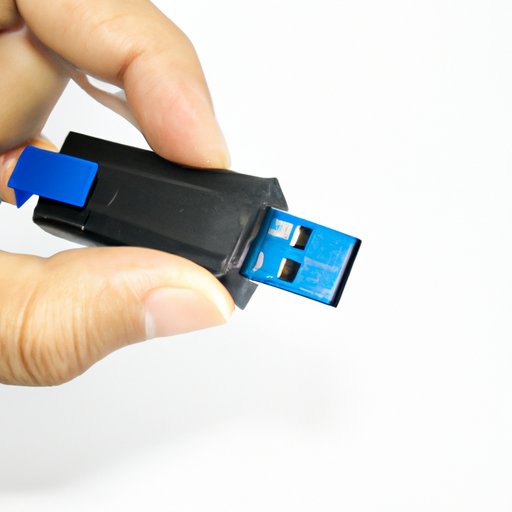
In addition to connecting an external hard drive, you can also connect a USB flash drive to your PS4 and view the movies stored on it. To connect a USB flash drive, simply plug the flash drive into one of the USB ports on the PS4, and then navigate to Settings > Storage > USB Storage Devices. From there, you can select the flash drive and view its contents.
The benefits of connecting a USB flash drive are similar to those of connecting an external hard drive. It allows you to easily access your movie library without having to purchase each movie individually. It also allows you to watch movies without taking up space on your internal hard drive. Finally, it allows you to quickly and easily transfer movies from one device to another.
Use a Disc to Play Blu-Ray and DVD Movies
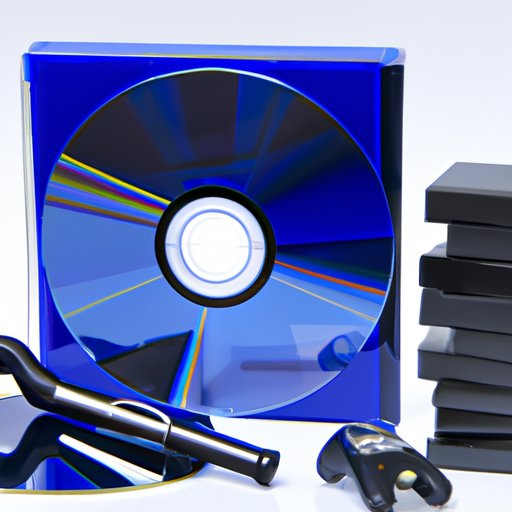
If you have physical copies of Blu-Ray or DVD movies, you can use them to watch movies on your PS4. To do this, simply insert the disc into the disc drive on the PS4, and then navigate to the disc icon on the main screen. From there, you can select the movie you want to watch and begin playing it.
The benefits of using a disc to play Blu-Ray and DVD movies are numerous. First, it allows you to watch movies without having to purchase digital copies. Second, it allows you to watch movies without taking up space on your internal hard drive. Finally, it allows you to watch movies without having to connect an external device.
Conclusion
In conclusion, watching movies on a PS4 is easy and convenient. You can download streaming service apps, purchase or rent movies from the PlayStation Store, connect an external hard drive and USB flash drive, and use a disc to play Blu-Ray and DVD movies.
(Note: Is this article not meeting your expectations? Do you have knowledge or insights to share? Unlock new opportunities and expand your reach by joining our authors team. Click Registration to join us and share your expertise with our readers.)