

Introduction
Bitcoin is a digital asset and payment system that uses cryptography to secure transactions. It was created in 2009 as a decentralized, open-source, peer-to-peer network. Bitcoin is the first cryptocurrency that has gained widespread recognition and adoption. Bitcoin can be used to purchase goods and services, or it can be exchanged for other currencies, including traditional fiat currencies such as US dollars.
Many people are interested in transferring their bitcoins to a bank account in order to access their funds in a more convenient and secure way. However, the process of transferring bitcoins to a bank account can be complicated and confusing for those who are unfamiliar with the process. In this article, we will explore the various methods of transferring bitcoins to a bank account and provide step-by-step instructions for each method.
Utilizing an Exchange Platform
An exchange platform is a website that allows users to buy and sell cryptocurrencies, including Bitcoin. These platforms typically require users to verify their identity before they can begin trading. Once a user has been verified, he or she can use the platform to buy and sell Bitcoin and other cryptocurrencies.
In order to transfer bitcoins to a bank account, the user must first link his or her bank account to the exchange platform. This can usually be done by entering the bank account information into the platform. Once the bank account is linked, the user can then initiate a withdrawal request and select the amount of Bitcoin he or she wishes to withdraw. The funds will then be transferred to the user’s bank account.
Step-by-Step Guide for Transferring Bitcoins to Bank Account
1. Sign up for an exchange platform and verify your identity.
2. Link your bank account to the exchange platform.
3. Select the amount of Bitcoin you wish to withdraw.
4. Initiate the withdrawal request.
5. The funds will be transferred to your bank account.

Using a Bitcoin Debit Card
A Bitcoin debit card is a prepaid card that can be used to purchase goods and services online or in stores that accept Visa or Mastercard. The card is linked to a user’s Bitcoin wallet and allows him or her to spend their bitcoins without having to convert them to a traditional currency. Some Bitcoin debit cards also allow users to withdraw cash from ATMs.
In order to transfer bitcoins to a bank account using a Bitcoin debit card, the user must first load the card with the desired amount of Bitcoin. This can usually be done by sending the desired amount of Bitcoin to the card’s address. Once the card is loaded, the user can then use the card to purchase goods or services, or withdraw cash from an ATM. The funds can then be transferred to the user’s bank account.
Step-by-Step Guide for Transferring Bitcoins to Bank Account
1. Purchase a Bitcoin debit card.
2. Load the card with the desired amount of Bitcoin.
3. Use the card to purchase goods or services, or withdraw cash from an ATM.
4. Transfer the funds to your bank account.
Selling Bitcoins for Cash
Selling Bitcoins for cash is a relatively simple process that involves finding a buyer, agreeing on a price, and exchanging the Bitcoin for cash. The seller can either meet the buyer in person and exchange the Bitcoin for cash, or arrange for the buyer to send the cash via a wire transfer or money order.
Once the buyer has sent the cash, the seller can then deposit the funds into his or her bank account. It is important to note that selling Bitcoins for cash carries certain risks and should only be done with trusted buyers. Additionally, some buyers may require the seller to provide proof of identity before the transaction can take place.
Step-by-Step Guide for Transferring Bitcoins to Bank Account
1. Find a buyer who is willing to pay cash for your Bitcoin.
2. Agree on a price.
3. Exchange the Bitcoin for cash.
4. Deposit the funds into your bank account.
Utilizing a Direct Trading Platform
Direct trading platforms are websites that enable users to buy and sell Bitcoin directly from one another. These platforms typically do not require users to verify their identity, which makes them ideal for those who wish to remain anonymous. Furthermore, the fees associated with these platforms are usually much lower than those charged by exchange platforms.
In order to transfer bitcoins to a bank account using a direct trading platform, the user must first find a buyer who is willing to pay the desired amount for the Bitcoin. Once the buyer has agreed to the terms of the transaction, the user can then initiate the trade and receive the funds in the form of a bank transfer. The funds can then be deposited into the user’s bank account.
Step-by-Step Guide for Transferring Bitcoins to Bank Account
1. Sign up for a direct trading platform.
2. Find a buyer who is willing to pay the desired amount for the Bitcoin.
3. Initiate the trade and receive the funds in the form of a bank transfer.
4. Deposit the funds into your bank account.
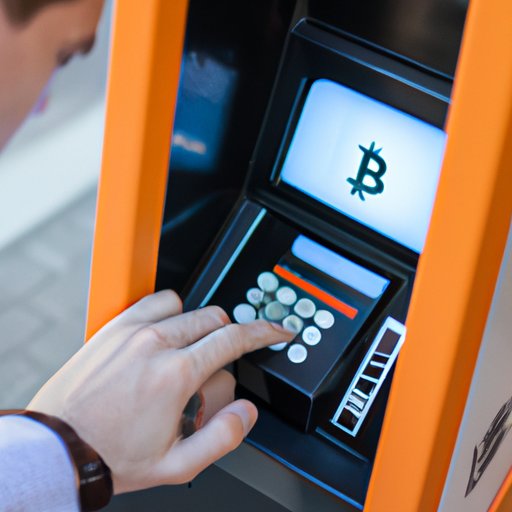
Working with a Bitcoin ATM
A Bitcoin ATM is a physical machine that allows users to buy and sell Bitcoin for cash. These machines are typically located in public places such as shopping malls, airports, and convenience stores. To use a Bitcoin ATM, the user must scan his or her Bitcoin wallet address and insert cash into the machine. The machine will then dispense the corresponding amount of Bitcoin.
In order to transfer bitcoins to a bank account using a Bitcoin ATM, the user must first find a machine that supports bank transfers. Once the user has located a machine that supports bank transfers, he or she can insert cash into the machine and initiate a withdrawal request. The funds will then be transferred to the user’s bank account.
Step-by-Step Guide for Transferring Bitcoins to Bank Account
1. Locate a Bitcoin ATM that supports bank transfers.
2. Insert cash into the machine.
3. Initiate a withdrawal request.
4. The funds will be transferred to your bank account.
Using Peer-to-Peer Exchanges
Peer-to-peer (P2P) exchanges are websites that facilitate the buying and selling of Bitcoin between two individuals. P2P exchanges typically do not require users to verify their identity, which makes them ideal for those who wish to remain anonymous. Furthermore, the fees associated with these exchanges are usually much lower than those charged by exchange platforms.
In order to transfer bitcoins to a bank account using a P2P exchange, the user must first find a buyer who is willing to pay the desired amount for the Bitcoin. Once the buyer has agreed to the terms of the transaction, the user can then initiate the trade and receive the funds in the form of a bank transfer. The funds can then be deposited into the user’s bank account.
Step-by-Step Guide for Transferring Bitcoins to Bank Account
1. Sign up for a P2P exchange.
2. Find a buyer who is willing to pay the desired amount for the Bitcoin.
3. Initiate the trade and receive the funds in the form of a bank transfer.
4. Deposit the funds into your bank account.
Conclusion
Transferring bitcoins to a bank account is a relatively simple process that can be done using a variety of methods. This article explored the various methods of transferring bitcoins to a bank account and provided step-by-step instructions for each method. These methods include utilizing an exchange platform, using a Bitcoin debit card, selling Bitcoins for cash, utilizing a direct trading platform, working with a Bitcoin ATM and using a peer-to-peer exchange.
(Note: Is this article not meeting your expectations? Do you have knowledge or insights to share? Unlock new opportunities and expand your reach by joining our authors team. Click Registration to join us and share your expertise with our readers.)