
Introduction
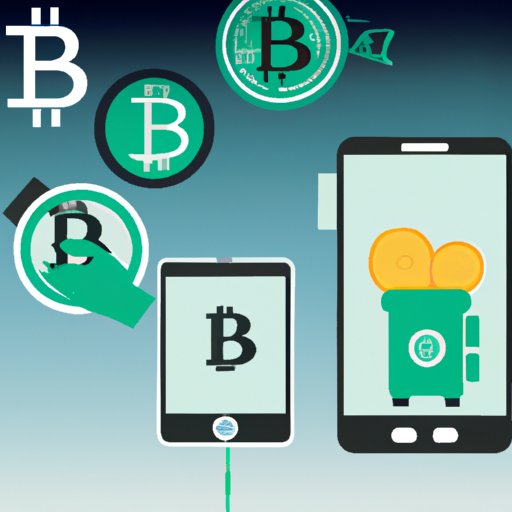
Bitcoin is a decentralized digital currency that has seen tremendous growth over the past few years. Cash App is a mobile payment service that allows users to send and receive money, buy and sell bitcoin, and more. In this article, we’ll explore how to trade Bitcoin on Cash App and provide tips and tricks for successful trading.
Setting Up a Cash App Account and Connecting it to a Bank Account
The first step in trading Bitcoin on Cash App is setting up your account. To create an account, you will need to provide your full name, date of birth, and the last four digits of your social security number. After creating your account, you will need to link a bank account or debit card to enable deposits and withdrawals.
Buying and Selling Bitcoin on Cash App
Once you have set up your account and linked a bank account or debit card, you are ready to begin trading Bitcoin on Cash App. Here is a step-by-step guide to buying and selling Bitcoin on Cash App:
- Open the Cash App on your device.
- Tap the Investing tab (the dollar sign icon) at the bottom of the screen.
- Tap Bitcoin.
- Tap Buy or Sell.
- Enter the amount of Bitcoin you wish to buy or sell.
- Tap Buy or Sell.
- Confirm the transaction.
To make price predictions and decide when to buy and sell Bitcoin, you will need to do some research. Pay attention to market trends, news, and other factors that may affect the price of Bitcoin.

Security Features of Cash App and How They Protect Users
Cash App takes security seriously and has several features in place to protect users. All transaction data is encrypted to ensure that your information remains secure. Additionally, Cash App requires two-factor authentication to log into your account, which adds an extra layer of security. Cash App also monitors for suspicious activity and fraud so that you can be sure your funds are safe.

Fees Associated with Trading Bitcoin on Cash App
When trading Bitcoin on Cash App, you will incur two types of fees: transaction fees and exchange rate fees. Transaction fees are charged when you buy or sell Bitcoin and vary depending on the amount of Bitcoin you are buying or selling. Exchange rate fees are based on the current market rate when you buy or sell Bitcoin and are subject to change.

Tips and Tricks for Successful Trading on Cash App
Here are some tips and tricks for successful trading on Cash App:
- Research the market. Know the current market trends and news that may affect the price of Bitcoin.
- Set up alerts. Set up alerts so that you are informed when the price of Bitcoin moves significantly.
- Use a secure internet connection. Make sure you are using a secure internet connection when trading Bitcoin on Cash App.
Unique Features or Advantages of Using Cash App for Bitcoin Trading
Cash App has several unique features or advantages that make it a great choice for trading Bitcoin. For one, Cash App charges low fees for transactions. Additionally, Cash App makes it quick and easy to buy and sell Bitcoin. Finally, Cash App offers a variety of payment methods, including debit cards, bank accounts, and even cash.
Conclusion
In conclusion, trading Bitcoin on Cash App can be a great way to get started in the world of cryptocurrency. Setting up an account and linking a bank account or debit card is quick and easy. Buying and selling Bitcoin on Cash App is straightforward, and there are several security features in place to protect users. Additionally, Cash App offers low fees, quick and easy transactions, and a variety of payment methods. With the right knowledge and strategies, trading Bitcoin on Cash App can be a profitable and rewarding experience.
(Note: Is this article not meeting your expectations? Do you have knowledge or insights to share? Unlock new opportunities and expand your reach by joining our authors team. Click Registration to join us and share your expertise with our readers.)