
Introduction
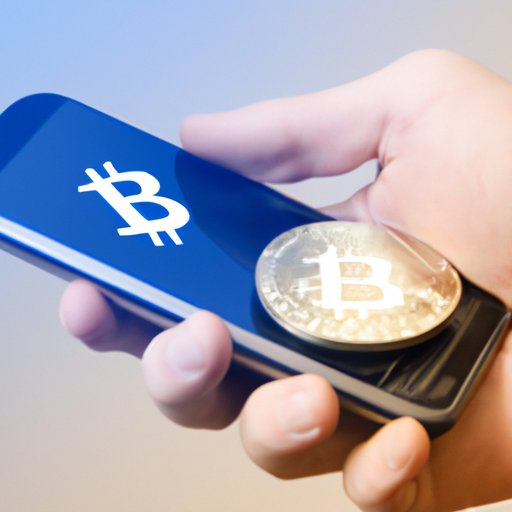
In recent years, Bitcoin has become one of the most popular digital currencies in the world. As a decentralized currency, Bitcoin is not controlled by any government or financial institution. Instead, it allows its users to conduct transactions without an intermediary. With its increasing popularity, many people are wondering how they can use Cash App to receive Bitcoin.
Overview of Bitcoin and How it Works
Bitcoin is a digital currency that was created in 2009 by an unknown person or group of people using the pseudonym Satoshi Nakamoto. It is a peer-to-peer system, meaning that users can send and receive payments directly from one another without the need for a third party such as a bank or credit card company. Transactions are recorded on a public ledger known as the blockchain. This ledger is distributed across a network of computers and is maintained by miners, who are rewarded with new Bitcoins for their efforts.
Benefits of Using Cash App for Receiving Bitcoin
Cash App is a mobile payment service developed by Square, Inc. It is a convenient and secure way to send and receive money, and it also allows users to purchase and sell stocks, buy and sell Bitcoin, and invest in fractional shares of stock. Cash App makes it easy for users to receive Bitcoin, as it provides a simple and secure platform for buying, selling, and transferring digital assets.
Steps to Setting Up a Bitcoin Wallet on Cash App
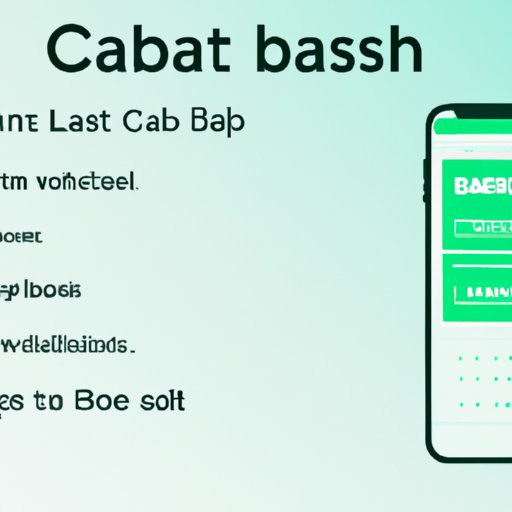
The first step to receiving Bitcoin on Cash App is to set up a Bitcoin wallet. Here’s how to do it:
- Download the Cash App. Download the Cash App from the Apple App Store or Google Play Store.
- Add a bank account or debit card. You will need to add a bank account or debit card to your Cash App account in order to purchase Bitcoin.
- Access the investing tab. Once you have added a bank account or debit card, tap the Investing tab at the bottom of the screen.
- Select Bitcoin. Select Bitcoin from the list of available investments.
- Set up your Bitcoin wallet. Follow the on-screen instructions to set up your Bitcoin wallet.
Purchasing Bitcoin on Cash App
Once you have set up your Bitcoin wallet, you can purchase Bitcoin on Cash App. Here’s how:
- Select “Buy.” Tap the Buy button at the top of the screen.
- Enter amount of Bitcoin desired. Enter the amount of Bitcoin you would like to purchase.
- Confirm purchase. Confirm your purchase by tapping the Buy button at the bottom of the screen.
Safety Measures When Using Cash App
When using Cash App to receive Bitcoin, it’s important to take safety measures to ensure your funds remain secure. Here are some tips to keep in mind:
Cash App Security Features
Cash App offers several security features to help protect your funds. These include two-factor authentication, PIN protection, and biometric authentication. Be sure to enable these features to keep your account secure.
Best Practices for Keeping Your Funds Secure
- Never share your Cash App PIN or login credentials with anyone.
- Enable two-factor authentication.
- Only use trusted Wi-Fi networks to access your Cash App account.
- Regularly review your account activity.
Step-by-Step Guide to Receiving Bitcoin on Cash App
Now that you know how to set up a Bitcoin wallet and purchase Bitcoin on Cash App, here’s a step-by-step guide to receiving Bitcoin:
- Receive a payment link. The person sending you Bitcoin will provide you with a payment link.
- Open the payment link. Open the payment link on your Cash App account.
- Receive Bitcoin. Once you open the payment link, you will receive the Bitcoin.
Conclusion
Using Cash App to receive Bitcoin is a convenient and secure way to manage your digital assets. By following the steps outlined above, you can easily set up a Bitcoin wallet and receive Bitcoin on Cash App. Just remember to take safety measures to ensure your funds remain secure.
Summary of Steps for Receiving Bitcoin on Cash App
- Download the Cash App.
- Add a bank account or debit card.
- Access the Investing tab.
- Select Bitcoin.
- Set up your Bitcoin wallet.
- Select “Buy.”
- Enter amount of Bitcoin desired.
- Confirm purchase.
- Receive a payment link.
- Open the payment link.
- Receive Bitcoin.
Final Reminders for Staying Safe
- Enable Cash App security features.
- Never share your Cash App PIN or login credentials with anyone.
- Enable two-factor authentication.
- Only use trusted Wi-Fi networks to access your Cash App account.
- Regularly review your account activity.
(Note: Is this article not meeting your expectations? Do you have knowledge or insights to share? Unlock new opportunities and expand your reach by joining our authors team. Click Registration to join us and share your expertise with our readers.)