
Introduction
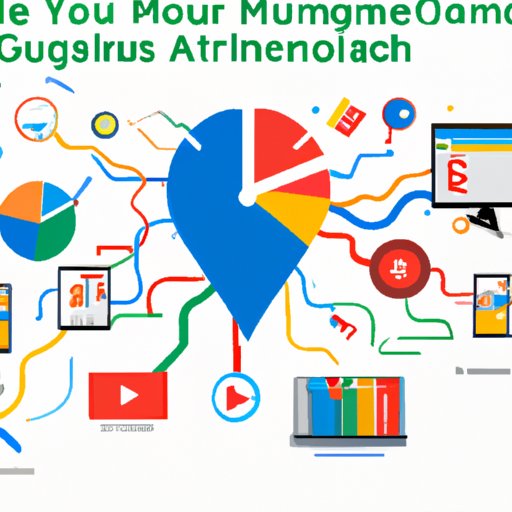
Google My Business (GMB) is a powerful tool that helps businesses create an online presence and reach potential customers. With GMB, businesses can manage their information on Google Search, Maps, and other Google-related services. However, managing multiple GMB accounts can be a difficult and time-consuming process, especially for businesses with multiple locations or franchises.
Utilize Google My Business’s Bulk Management Feature
One of the most effective ways to manage multiple GMB accounts is to use Google’s bulk management feature. This feature allows users to make updates to multiple locations at once, saving time and effort. To access the bulk management feature, users must first create a “Location Group” in the GMB dashboard. This group will contain all the locations that need to be managed. Once the group is created, users can then make changes to all the locations within the group at once.
Using the bulk management feature has several benefits. It makes it easier to keep all the locations up-to-date, as users can make changes to multiple locations in one go. It also simplifies the process of managing multiple accounts by eliminating the need to go into each account individually. Finally, it reduces the risk of errors, as users can easily review the changes they are making before they are applied.
Create a Systematic Process for Updating and Managing All Accounts
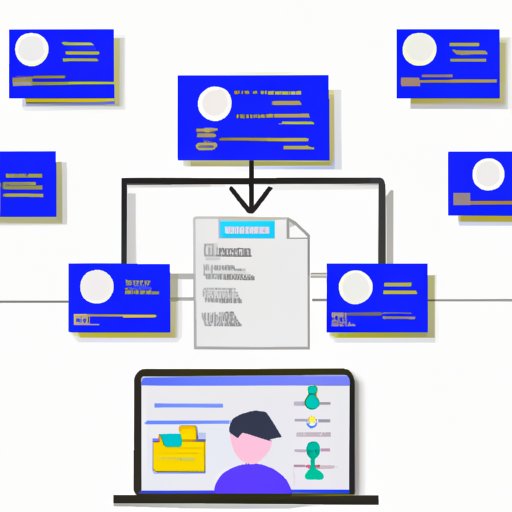
In addition to utilizing the bulk management feature, it is important to create a systematic process for updating and managing all GMB accounts. One way to do this is to establish checklists for each location. These checklists should include tasks such as verifying contact information, adding photos, responding to reviews, and ensuring accuracy of business hours. Having a checklist ensures that no task is overlooked, and makes it easier to track progress.
It is also helpful to set up schedules for each location. This can help ensure that all the accounts are consistently updated and managed. For example, businesses can set up weekly schedules for tasks such as reviewing analytics, responding to reviews, and making updates to the profile. Setting up these schedules will help ensure that all accounts are kept up-to-date.
Finally, businesses should consider automating certain tasks. Automation tools can help streamline the process of managing multiple GMB accounts by eliminating the need to manually update each location. Automation tools can be used to update contact information, post content, and respond to reviews, among other tasks. This can save businesses time and effort, while also helping to ensure accuracy.
Use Automation Tools to Make Updates Easier
Automation tools can be a great way to make managing multiple GMB accounts easier. There are a variety of tools available, ranging from free to paid options. When choosing an automation tool, it is important to consider factors such as cost, ease of use, features, and customer support. Additionally, businesses should look for tools that integrate with GMB, as this will make it easier to manage multiple accounts.
Once businesses have chosen an automation tool, they can start using it to make updates to their GMB accounts. Automation tools can be used to quickly update contact information, post content, respond to reviews, and more. This can save businesses time and allow them to focus their efforts on other aspects of managing their GMB accounts.

Monitor Reviews and Respond Promptly
Another important aspect of managing multiple GMB accounts is to monitor reviews and respond promptly. Reviews are an important part of any GMB account, as they provide feedback from customers and help build trust and credibility. Therefore, it is important to monitor reviews and respond promptly when necessary. Responding quickly to reviews shows customers that businesses care about their feedback and are willing to address any issues that may arise.
There are several ways to monitor reviews. The GMB dashboard provides an easy way to keep track of reviews, as users can see all reviews for their locations in one place. Additionally, businesses can set up notifications so they are alerted when new reviews are posted. This can help businesses stay on top of reviews and respond quickly when needed.

Leverage Insights From Google My Business Analytics
Finally, businesses should leverage insights from Google My Business analytics. GMB analytics provide detailed insights into how customers interact with businesses on Google. This includes metrics such as number of views, click-through rate, customer actions, and more. By analyzing these metrics, businesses can better understand what is working and what isn’t, and make adjustments accordingly.
When interpreting analytics, it is important to look at trends over time. This can help businesses identify patterns and make decisions based on data, rather than guesswork. Additionally, businesses should compare their performance to competitors in order to gain a better understanding of how they stack up. This can help businesses identify areas where they can improve and make adjustments as needed.
Conclusion
Managing multiple Google My Business accounts can be a daunting task. However, by utilizing Google’s bulk management feature, creating checklists, using automation tools, monitoring reviews, and leveraging insights from analytics, businesses can ensure that their accounts are well-managed and up-to-date.
By following these best practices, businesses can save time and effort while also improving their presence on Google. This can lead to increased visibility, higher click-through rates, and ultimately, more customers.
(Note: Is this article not meeting your expectations? Do you have knowledge or insights to share? Unlock new opportunities and expand your reach by joining our authors team. Click Registration to join us and share your expertise with our readers.)
You can schedule Google posts and reply directly to reviews with OneUp