

Introduction
Music videos have become an integral part of the music industry today, and with the rise of smartphones, it’s now easier than ever for aspiring artists to create their own music videos. Whether you’re a musician looking to promote yourself or just someone who wants to experiment with video production, making a music video with your phone can be an exciting and rewarding experience.
In this article, we’ll explore the process of making a music video with your phone. We’ll look at the basics of music video production, from understanding terminology and different types of music videos to selecting the right equipment. We’ll also discuss how to set up your scene and lighting, find creative ways to shoot your video, and edit your footage on your phone. Finally, we’ll discuss how to share your music video with the world.

Research Music Video Production Basics
Before you start shooting your music video, it’s important to understand the basics of music video production. This will help you develop a better understanding of the process and ensure that you get the best results.
Understand Basic Terminology
The first step is to familiarize yourself with some of the common terms used in music video production. Understanding these terms will help you communicate more effectively with other professionals involved in the production process and make sure everyone is on the same page.
Learn About Different Types of Music Videos
Next, you should research the different types of music videos. There are many different genres and styles of music videos, each with its own unique look and feel. Knowing the various types of music videos will help you decide which type of video you want to make and plan accordingly.
Familiarize Yourself With Music Video Production Techniques
Finally, it’s important to learn about the various techniques used in music video production. This includes things like camera angles, lighting, sound design, and editing. Knowing these techniques will help you create a professional-looking video that captures the essence of your song.
Choose the Right Music for Your Video
Once you’ve done your research and understand the basics of music video production, you can begin to choose the right music for your video. This is one of the most important steps in the process, so take your time to make sure you select the right song.
Consider the Style of Music You Want to Create
The first step is to consider the style of music you want to create. Do you want to create a hip hop track? An acoustic ballad? An EDM banger? Once you’ve decided on the style of music you want to create, you can begin to search for the perfect song.
Find a Song That Fits Your Vision
Once you’ve narrowed down your search, listen to a few songs to determine which one best fits your vision. Consider the tempo, instrumentation, and lyrics of the song. Make sure it’s something that resonates with you and will capture the emotion of your video.
Make Sure You Have the Rights to Use the Music
Finally, make sure you have the rights to use the music in your video. Depending on the type of music you’re using, you may need to obtain a license or permission from the copyright holder before you can use it. It’s also important to make sure you don’t use any copyrighted images or footage in your video.
Gather Equipment You’ll Need
Now that you’ve chosen the right song for your music video, it’s time to gather the equipment you’ll need to shoot your video. This includes things like cameras, microphones, lighting, and other accessories.
Determine What Type of Camera You Need
The first step is to determine what type of camera you need. Smartphones are great for shooting music videos, but if you want higher quality footage, you may want to invest in a digital SLR or mirrorless camera. Consider your budget and the type of video you’re creating when making your decision.
Select Appropriate Microphones and Lighting
Next, you’ll need to select appropriate microphones and lighting for your video. If you’re recording audio, make sure you have a good quality microphone. And if you’re shooting in a studio, you’ll need to make sure you have enough lights to properly illuminate the scene.
Invest in Other Necessary Accessories
You may also want to invest in other necessary accessories, such as tripods, reflectors, and filters. These items will help you create a more professional-looking video and ensure that your footage is crisp and clear.
Set Up Your Scene and Lighting
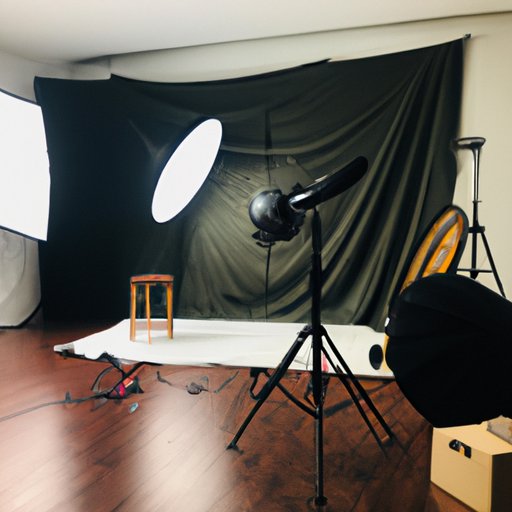
Once you have all the equipment you need, it’s time to set up your scene and lighting. This is an important step in the process, as it will determine how your video looks and feels.
Choose the Right Location
The first step is to choose the right location for your video. Consider the type of video you’re creating and the message you want to convey. Are you shooting in a studio or outdoors? Once you’ve chosen your location, you can begin to set up your scene.
Position Your Lights at the Right Angles
Next, you’ll need to position your lights at the right angles. This will ensure that your scene is properly illuminated and that your footage looks professional. Experiment with different angles and lighting setups until you find the right combination.
Test Your Sound Levels
Finally, make sure to test your sound levels. If you’re recording audio, make sure that the sound is balanced and that there’s no background noise. This will help ensure that your audio sounds professional and clear.
Find Creative Ways to Shoot Your Video
Once you’ve set up your scene and tested your sound levels, it’s time to start shooting your video. This is where you can get creative and experiment with different camera angles and shots.
Brainstorm Ideas for Your Video
The first step is to brainstorm ideas for your video. Think about the concept of your video and how you want it to look and feel. What type of shots do you want to include? How will you incorporate special effects? This will help you figure out the best way to shoot your video.
Try Different Camera Angles and Shots
Once you have a good idea of what you want your video to look like, it’s time to start shooting. Try different camera angles and shots to capture the feeling of your video. Don’t be afraid to experiment and think outside the box.
Incorporate Interesting Video Effects
You can also add interesting video effects to your music video. This could include things like slow motion, time-lapse, and color grading. Experiment with different effects to create a unique and visually appealing video.
Edit Your Video Footage on Your Phone
Once you’ve finished shooting your video, you can begin to edit your footage on your phone. There are many apps available that allow you to easily edit your videos on your phone.
Choose an Editing App for Your Phone
The first step is to choose an editing app for your phone. Look for one that has all the features you need, such as transitions, titles, and special effects. Make sure the app is user-friendly and compatible with your device.
Assemble Your Video Clips and Images
Once you’ve chosen an editing app, you can begin to assemble your video clips and images. Drag and drop the clips into the timeline and arrange them in the order you want. You can also add titles, transitions, and other effects to your video.
Add Music, Titles, and Transitions
Finally, you’ll need to add music, titles, and transitions to your video. Make sure the music you choose fits the theme of your video and enhances the mood. You can also add titles and transitions to help tell your story.
Share Your Music Video With the World
Now that your music video is complete, it’s time to share it with the world. There are many different ways to do this, from uploading your video to social media platforms to utilizing other distribution channels.
Upload Your Video to Social Media Platforms
The first step is to upload your video to social media platforms, such as YouTube, Facebook, and Instagram. This will help you reach a wider audience and increase the visibility of your video.
Promote Your Music Video Through Online Ads
You can also promote your music video through online ads. Paid advertising is a great way to drive more traffic to your video and reach a larger audience.
Utilize Other Distribution Channels
Finally, you can utilize other distribution channels, such as Spotify and Apple Music. These services will help you reach even more people and give you access to a larger audience.
Conclusion
Making a music video with your phone can be a fun and rewarding experience. With the right equipment, knowledge, and creativity, you can create a professional-looking music video that captures the essence of your song. Just remember to do your research, choose the right music, gather the necessary equipment, and edit your footage on your phone.
(Note: Is this article not meeting your expectations? Do you have knowledge or insights to share? Unlock new opportunities and expand your reach by joining our authors team. Click Registration to join us and share your expertise with our readers.)