
Introduction
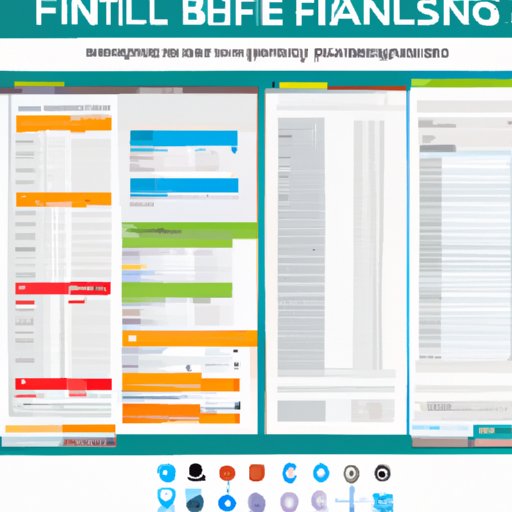
A finance spreadsheet is a document used to track personal income and expenses. It can be used to create a budget, monitor investments and other assets, and easily manage finances. Creating a finance spreadsheet is a great way to stay organized and keep track of spending and income.
Step-by-Step Tutorial on Creating a Finance Spreadsheet
Creating a finance spreadsheet can seem like a daunting task, but it doesn’t have to be. With the right tools and knowledge, anyone can easily set up a finance spreadsheet that works for their needs.
Understanding the basic layout of a finance spreadsheet
The first step in creating a finance spreadsheet is understanding the basic layout. A typical finance spreadsheet will include columns for income, expenses, date, and category. Other columns can be added as needed, such as for investments or debts.
Setting up categories and inputting data
Once the columns are set up, the next step is to add categories for each column. For example, in the “expense” column, categories may include food, transportation, housing, entertainment, etc. Data can then be entered into the appropriate columns and categories.
Exploring features of popular spreadsheet programs
Most spreadsheet programs such as Microsoft Excel and Google Sheets offer a variety of features that can help make creating a finance spreadsheet easier. These features include formulas, charts, and filters that can help visualize data and make calculations simpler.

Benefits of Using a Finance Spreadsheet
Using a finance spreadsheet has many benefits. It allows users to easily track spending and income, create a budget and stick to it, and monitor investments and other assets.
Easily track spending and income
One of the main benefits of using a finance spreadsheet is that it makes tracking spending and income easy. By entering all transactions into the spreadsheet, users can easily get an overview of their financial situation.
Create a budget and stick to it
Creating a budget is an essential part of managing finances. A finance spreadsheet can help users create a budget by tracking spending and setting limits on certain expenses. This makes it easier to stay on top of spending and meet financial goals.
Monitor investments and other assets
A finance spreadsheet can also be used to monitor investments and other assets. By entering the relevant information into the spreadsheet, users can easily track the performance of their investments and make sure they are meeting their financial goals.
Common Mistakes People Make When Making a Finance Spreadsheet
While creating a finance spreadsheet can be helpful, there are some common mistakes people make when setting one up. These mistakes can lead to inaccurate data and make it difficult to track finances.
Not setting up categories properly
One of the most common mistakes people make when creating a finance spreadsheet is not setting up the categories properly. This can lead to inaccurate data and make it difficult to track spending and income accurately.
Forgetting to include all relevant information
Another mistake people make when creating a finance spreadsheet is forgetting to include all relevant information. This includes things like investments, debts, and other assets. Without all of this information, it can be difficult to get an accurate picture of your finances.
Not double-checking calculations
Finally, it’s important to double-check any calculations made in the finance spreadsheet. If calculations are incorrect, it can lead to inaccurate data and make it difficult to track spending and income accurately.

Examples of Budgeting Templates and How to Customize Them
Budgeting templates are a great way to quickly set up a finance spreadsheet. There are many different types of templates available, so it’s important to find the right one for your needs. Once you’ve found the right template, it’s easy to customize it to fit your budget.
Finding the right template for your needs
The first step in using a budgeting template is finding the right one for your needs. There are many different types of templates available, so it’s important to find one that fits your budget and financial goals.
Customizing the template to fit your budget
Once you’ve found the right template, it’s easy to customize it to fit your budget. This involves adding and removing categories and inputting the appropriate data. It’s important to double-check any calculations to make sure they are accurate.
Utilizing the template to track expenses
Once the template is customized, it’s easy to use it to track expenses. This can be done by entering all transactions into the spreadsheet and monitoring the results. This helps keep track of spending and ensure that you stay within your budget.

Manual vs. Automated Finance Spreadsheets
When creating a finance spreadsheet, users have the option of using either a manual or automated spreadsheet. Both methods have their advantages and disadvantages, so it’s important to consider which one is best for your needs.
Pros and cons of manual spreadsheets
Manual spreadsheets require users to manually enter all data into the spreadsheet. This can be time-consuming, but it also allows users to customize the spreadsheet to fit their needs. Additionally, manual spreadsheets can be easier to troubleshoot if something goes wrong.
Advantages of automated spreadsheets
Automated spreadsheets use formulas and other features to automate calculations. This can save time and reduce errors, but it can also limit customization. Additionally, automated spreadsheets can be more difficult to troubleshoot if something goes wrong.
Using a combination of both methods
Using a combination of manual and automated spreadsheets is often the best option. This allows users to take advantage of the features of both methods, while still being able to customize the spreadsheet to fit their needs.
Conclusion
Creating a finance spreadsheet is a great way to stay organized and keep track of spending and income. By following the steps outlined above and avoiding common mistakes, anyone can easily create a finance spreadsheet that works for their needs. Budgeting templates can also be used to quickly set up a finance spreadsheet, while manual and automated spreadsheets offer different advantages depending on the user’s needs.
(Note: Is this article not meeting your expectations? Do you have knowledge or insights to share? Unlock new opportunities and expand your reach by joining our authors team. Click Registration to join us and share your expertise with our readers.)