
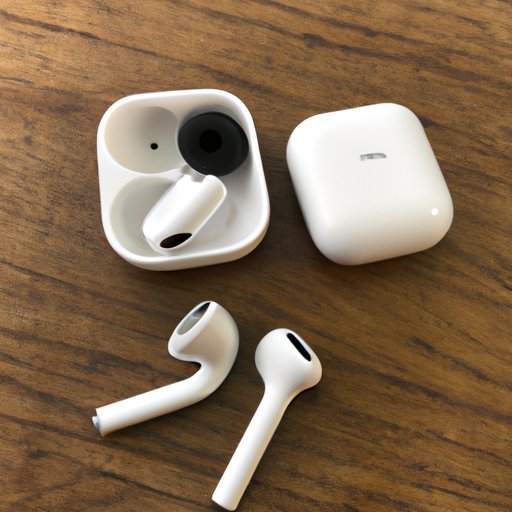
Introduction
Having one of your AirPods be quiet can be a frustrating experience. Whether you’re listening to music, making phone calls, or watching videos, having one AirPod that is quieter than the other can make it difficult to enjoy what you’re doing. Fortunately, there are a few steps you can take to try and fix the issue so that both AirPods are at an equal volume.
Check the Volume Settings
The first step in trying to fix one AirPod being quiet is to check the volume settings on your device. Make sure that both AirPods are set to the same volume level. If one AirPod is set to a higher or lower volume than the other, then it will cause them to sound different. You should also make sure that the volume on your device is not too low or too high.
Clean the AirPod
Another possible cause for one AirPod being quieter than the other could be debris blocking the sound port. To check for this, use a dry, lint-free cloth to wipe off any debris from the AirPod. You should also make sure that the sound port is free of any dust or dirt.
Ensure a Good Fit
If you’re still having trouble with one AirPod being quiet, make sure that your AirPods fit properly in your ears. If they don’t fit snugly, then the sound may not be projecting correctly into your ear. Try adjusting the fit of your AirPods until they feel comfortable and secure.
Reset Your AirPods
If none of the above steps have fixed the issue, then it might be time to reset your AirPods. This can help to restore the original factory settings and potentially fix the issue. To reset your AirPods, press and hold the setup button on the back of the charging case for about 15 seconds until the status light flashes amber. Then open the lid and press the setup button again for another 15 seconds until the status light flashes white.
Resetting your AirPods can also help to improve their connection to your device and extend their battery life. It can also help to clear out any software glitches that might be causing the issue.
Replace the Quiet AirPod
If none of the above steps have worked, then it might be time to consider replacing the quiet AirPod. Apple offers a one-year limited warranty on its AirPods, so if your AirPods are within the warranty period, you can contact Apple Care for assistance. You can also purchase a replacement AirPod from Apple or an authorized reseller.
When purchasing a replacement AirPod, make sure that you get the correct model for your device. Additionally, you should look for AirPods that are specifically designed for your type of device, such as wireless or noise-canceling.
Conclusion
Having one AirPod that is quieter than the other can be incredibly frustrating. However, there are steps you can take to try and fix the issue. First, check the volume settings on your device and make sure that both AirPods are set to the same volume level. Then, clean the AirPod and ensure that it fits properly in your ear. If these steps don’t work, then you can try resetting your AirPods or even replacing the quiet AirPod.
By following these steps, you should be able to get both of your AirPods sounding great again in no time.
(Note: Is this article not meeting your expectations? Do you have knowledge or insights to share? Unlock new opportunities and expand your reach by joining our authors team. Click Registration to join us and share your expertise with our readers.)