
Introduction
Downloading music onto your phone can be a great way to have access to your favorite music anytime, anywhere. Downloading music is essentially transferring digital audio files from one device to another, such as from the internet to your phone. By downloading music, you can save it permanently on your device, allowing you to listen to it whenever you want without having to access the internet or use data.
There are many benefits to downloading music onto your phone. It allows you to create customized playlists that you can access offline. It also saves you money in the long run since you don’t have to pay for a streaming service subscription. Finally, it ensures that you always have access to your favorite music, even if you don’t have an internet connection.
Accessing Music Streaming Services
One of the most popular methods of downloading music onto your phone is through a music streaming service. Popular streaming services include Spotify, Apple Music, and Pandora. These services allow you to access millions of songs and albums, as well as create and share playlists with friends.
To sign up for a streaming service, simply create an account and provide payment information. Once you’ve signed up, you can browse through the available music and add songs and albums to your library. You can then listen to your music without needing to download it to your device. This makes streaming services a great option for people who don’t want to take up storage space on their device with music.
However, streaming services do come with some drawbacks. For example, streaming services typically require a monthly fee, which can add up over time. Additionally, streaming services only allow you to access the music while you are connected to the internet, so you won’t be able to listen to your music if you don’t have a connection.
Transferring Music from a Computer
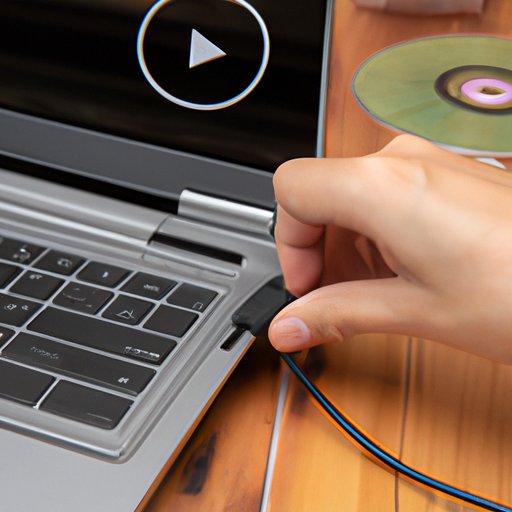
Another option for downloading music onto your phone is to transfer it from a computer. To do this, you will need to connect your phone to your computer using a USB cable. Once your phone is connected, you can find the music files on your computer and copy and paste them onto your phone.
This method is great for people who already have a collection of music on their computer but want to be able to access it on their phone. It also doesn’t require any additional fees, as you are just transferring existing files from one device to another.

Downloading Music from Online Stores
Another popular method of downloading music onto your phone is to purchase it from an online store. Popular online stores include iTunes, Amazon Music, and Google Play Music. These stores offer a variety of music, from individual songs to full albums.
To purchase music from an online store, you must first set up an account. Once you’ve done this, you can browse through the available music and select the songs or albums you want to buy. After making your purchase, you can then download the music directly to your phone.
Using an App to Download Music
Some phones also come with pre-installed music-downloading apps. Popular music-downloading apps include SoundCloud and Bandcamp. These apps allow you to search for and download music directly to your phone. They also typically offer free music, as well as paid songs and albums.
To use a music-downloading app, you must first install and set up the app on your phone. Once this is done, you can browse through the available music and select the songs or albums you want to download. The app will then download the music directly to your phone.
Syncing Music with Bluetooth
If you want to transfer music from one device to another, you can also use Bluetooth. This method involves connecting two devices via Bluetooth and transferring the music from one device to another. To do this, both devices must have Bluetooth enabled, and they must be within close proximity of each other.
Bluetooth is a great option for people who want to transfer music from one device to another without using cables or online stores. It’s also a relatively fast and easy process, as the music can be transferred in just a few minutes.
Connecting to Wi-Fi Music Libraries
Some phones also have access to Wi-Fi music libraries, such as Apple Music Library and Google Play Music Library. These libraries allow you to access millions of songs and albums, as well as create and share playlists. To access these libraries, you must first set up a connection with the library. Once this is done, you can browse through the available music and select the songs or albums you want to download.
Wi-Fi music libraries are great for people who want to access a large selection of music without needing to purchase it. Additionally, they typically don’t require a monthly fee, so they can be a more cost-effective option than streaming services.
Utilizing File Sharing Programs
Finally, you can also download music onto your phone using file sharing programs. Popular file sharing programs include BitTorrent and LimeWire. These programs allow you to join and participate in file sharing networks, where users can upload and download music from each other.
File sharing programs are great for people who want to access a wide variety of music for free. However, it’s important to be aware of copyright laws when using these programs, as some of the music may be protected by copyright and cannot be legally downloaded.
Conclusion
Downloading music onto your phone can be a great way to enjoy your favorite music anytime, anywhere. There are several different methods of downloading music, including streaming services, online stores, apps, Bluetooth, Wi-Fi music libraries, and file sharing programs. Each method has its own advantages and disadvantages, so it’s important to consider all of your options before deciding which one is right for you.
By following the steps outlined in this article, you should now have a better understanding of how to download music onto your phone. With the right tools and knowledge, you can start enjoying your favorite music on the go in no time.
(Note: Is this article not meeting your expectations? Do you have knowledge or insights to share? Unlock new opportunities and expand your reach by joining our authors team. Click Registration to join us and share your expertise with our readers.)