
Introduction
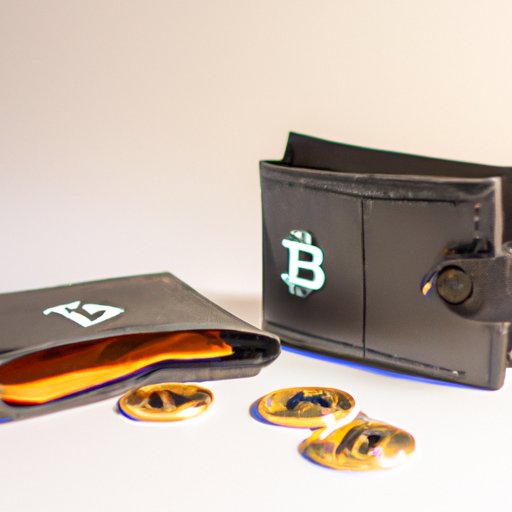
Bitcoin is a digital currency created in 2009 as a decentralized, open-source system. It allows users to send, receive and store value without third-party involvement. Since its inception, it has become one of the most popular cryptocurrencies, with millions of people around the world using it. To access and use bitcoins, you must create a secure bitcoin wallet.
A bitcoin wallet is a software program that stores your bitcoins and helps you manage them. It is similar to a traditional bank account, but instead of holding fiat currency, it holds bitcoins. When creating a wallet, it is important to take steps to ensure that it is secure. This article will provide a step-by-step guide on how to do so.
Research Different Bitcoin Wallets
Before setting up a bitcoin wallet, it is important to research the different types of wallets available. There are four main types of wallets: web wallets, desktop wallets, mobile wallets and hardware wallets. Each type of wallet has its own benefits, so it is important to consider which type of wallet best suits your needs.
Reviewing Types of Bitcoin Wallets
Web wallets are online accounts that allow you to store and manage your bitcoins. They are convenient, as they can be accessed from any device with an internet connection. However, they are less secure than other types of wallets, as they are hosted by a third party. Desktop wallets are software programs that you download and install on your computer. They are more secure than web wallets, but if your computer is compromised, your bitcoins could be at risk. Mobile wallets are apps that you download and install on your smartphone. They are convenient and secure, but if your phone is lost or stolen, your bitcoins could be at risk. Hardware wallets are physical devices that you plug into your computer. They are the most secure type of wallet, as they are not connected to the internet and are therefore not vulnerable to hackers.
Benefits of Different Types of Wallets
Once you have researched the different types of wallets, you should decide which type is best for you. Web wallets are the easiest to set up and use, but they are less secure than other types of wallets. Desktop wallets are more secure, but they require you to download and install software. Mobile wallets are convenient and secure, but they are vulnerable to theft and loss. Hardware wallets are the most secure, but they are more expensive and require you to purchase and set up the device.
Set Up a Secure Password
Once you have chosen a type of wallet, you should set up a secure password. This is essential for protecting your wallet and ensuring that your bitcoins are safe. A strong password should contain at least eight characters, including numbers, uppercase and lowercase letters, and special characters.
Importance of a Strong Password
Having a secure password is essential for protecting your wallet and your bitcoins. A strong password should be complex and difficult to guess. It should also be unique and not used for any other accounts. It is important to remember your password, as if you forget it, you may not be able to access your wallet.
Tips on Creating a Secure Password
When creating a secure password, there are several tips you should follow. First, make sure your password is long enough – at least eight characters. Second, use a combination of numbers, uppercase and lowercase letters, and special characters. Third, avoid using words that can be easily guessed, such as “password” or your name. Fourth, avoid using the same password for multiple accounts. Finally, make sure you write down your password and store it in a secure place.
Download and Install the Bitcoin Wallet
Once you have set up a secure password, you should download and install the bitcoin wallet. This process will vary, depending on the type of wallet you have chosen. For example, if you have chosen a web wallet, you will need to create an account and log in. If you have chosen a desktop wallet, you will need to download and install the software. If you have chosen a mobile wallet, you will need to download and install the app. And if you have chosen a hardware wallet, you will need to purchase and set up the device.
Step-by-Step Guide to Installing Bitcoin Wallet
The process of downloading and installing a bitcoin wallet will vary, depending on the type of wallet you have chosen. Here is a step-by-step guide to installing a web wallet:
- Create an account with a reputable provider.
- Log in to your account.
- Verify your identity.
- Download and install the wallet.
- Activate two-factor authentication.
Generate a Bitcoin Address
Once you have downloaded and installed the wallet, you should generate a bitcoin address. This is a string of numbers and letters that you can use to receive bitcoins. To generate a bitcoin address, you will need to enter your password and confirm your request.
How to Generate a Bitcoin Address
Generating a bitcoin address is simple. First, log in to your wallet and select the “Receive” option. Next, enter your password and confirm your request. Finally, your wallet will generate a unique bitcoin address that you can use to receive bitcoins.
Back Up Your Bitcoin Wallet
It is important to back up your bitcoin wallet, as this will help protect your bitcoins in case your computer is compromised. Backing up your wallet involves storing a copy of your wallet file on a separate device or location, such as a USB drive or cloud storage service.
Benefits of Backing Up Your Wallet
Backing up your wallet is important, as it will help protect your bitcoins in case your computer is compromised. It will also help you restore your wallet if it is lost or damaged. Additionally, it will enable you to recover your bitcoins if you forget your password.
Steps for Backing Up Your Bitcoin Wallet
Backing up your wallet is simple. First, locate the wallet file on your computer. This is usually stored in the “Wallets” folder. Next, copy the wallet file to a USB drive or cloud storage service. Finally, store the USB drive or cloud storage service in a secure location.
Transfer Funds to Your Bitcoin Wallet
Once you have backed up your wallet, you can start transferring funds to it. This process will vary, depending on the exchange you are using. Generally, you will need to enter your wallet address and the amount of funds you want to transfer.
Fundamentals of Transferring Funds to Your Bitcoin Wallet
To transfer funds to your bitcoin wallet, you will need to enter your wallet address and the amount of funds you want to transfer. You will also need to specify which currency you want to transfer – either bitcoin or another cryptocurrency, such as Ethereum or Litecoin. Depending on the exchange, you may also need to provide additional information, such as your name and address.
Tips on Making Sure Transfers are Secure
When making transfers to your wallet, it is important to make sure the process is secure. First, make sure you are using a reputable exchange. Second, always double check the wallet address before sending funds. Third, avoid making transfers over public Wi-Fi networks. Finally, always keep your wallet backed up and secure.
Conclusion
Creating a secure bitcoin wallet is an essential part of using and managing bitcoins. Before setting up a wallet, it is important to research the different types of wallets available and choose the one that best suits your needs. Once you have chosen a wallet, you should set up a secure password, download and install the wallet, generate a bitcoin address and back up your wallet. Finally, you can transfer funds to your wallet. Following these steps will help ensure that your wallet is secure and your funds are protected.
(Note: Is this article not meeting your expectations? Do you have knowledge or insights to share? Unlock new opportunities and expand your reach by joining our authors team. Click Registration to join us and share your expertise with our readers.)