
Introduction
Tracking your phone can be a daunting task, especially if you don’t know where to start. But fret not – this guide will provide a comprehensive overview of how to track your phone with relative ease. Before delving into the specifics, it is important to define what phone tracking is. Phone tracking is the process of monitoring or recording the location or activity of a mobile device.
The purpose of this article is to provide an in-depth guide on how to track your phone. This article is intended for individuals who have lost their phones and are looking for ways to track them. Throughout the article, we will explore the different methods of tracking your phone, such as using a GPS tracking app, an anti-theft app, Find My Device, iCloud, remote lock and wipe, and SIM card tracking. We will also cover how to contact your network provider.
Use a GPS Tracking App
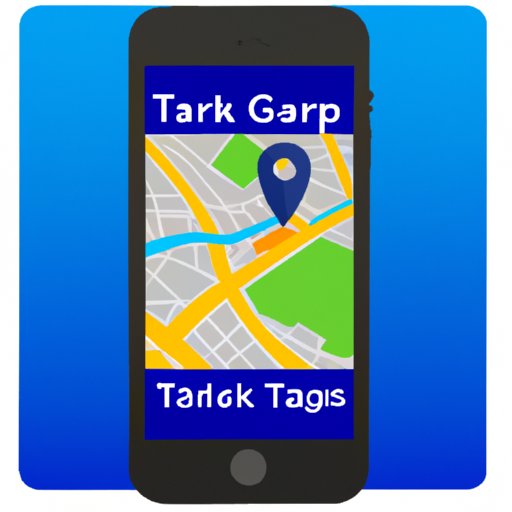
Using a GPS tracking app is one of the easiest ways to track your phone. These apps allow you to monitor your device’s location in real time, so you can easily locate it if it is lost or stolen. Furthermore, many GPS tracking apps offer additional features, such as sending notifications when the device enters or leaves a certain area, or even allowing you to remotely control the device.
There are a variety of popular GPS tracking apps available, such as Google Maps, Life360, Find My Friends, and Geo-Tracker. To install and use a GPS tracking app, simply search for the app in your app store, download it, and follow the instructions to set it up. Once the app is installed, you can view your device’s location in real time.
Install an Anti-Theft App
Another way to track your phone is to install an anti-theft app. These apps are designed to help you protect your device from theft or loss by allowing you to remotely lock, track, and wipe your device. They also often provide additional features such as taking pictures of anyone attempting to unlock your device with the wrong password or PIN.
Some of the most popular anti-theft apps include Cerberus, Lookout Security & Antivirus, and Avast Anti-Theft. To install and use an anti-theft app, simply search for the app in your app store, download it, and follow the instructions to set it up. Once the app is installed, you can view your device’s location in real time.

Utilize Find My Device on Android Phones
If you have an Android phone, you can make use of the Find My Device feature. Find My Device is a built-in feature that allows you to track your device in real time, as well as lock or erase it remotely. It also allows you to display a custom message on the lock screen, so that whoever finds your device can contact you.
To activate Find My Device, go to your device’s Settings menu, select “Security & Location”, and then tap “Find My Device”. From here, you can enable the feature and view your device’s location in real time.
Make Use of iCloud for iPhones
If you have an iPhone, you can make use of the iCloud service to track your device. iCloud is a cloud storage service that allows you to securely store your data, including contacts, photos, and documents. It also allows you to track your device in real time, as well as lock or erase it remotely.
To activate iCloud, go to your device’s Settings menu, select “iCloud”, and then tap “Sign In”. From here, you can log in with your Apple ID and enable the iCloud service. Once iCloud is activated, you can view your device’s location in real time.
Set Up Remote Lock and Wipe
Remote lock and wipe is a feature that allows you to lock and erase your device remotely, in case it is lost or stolen. This feature is available on both Android and iOS devices. To set up remote lock and wipe, first you need to install an anti-theft app or activate Find My Device or iCloud (as described above). Once the app or service is activated, you can go to its settings and enable the remote lock and wipe feature.
When enabled, you can access the remote lock and wipe feature from any computer or smartphone. You can then lock your device and erase all its data with just a few clicks. This feature is particularly useful if you think your device has been stolen, as it prevents the thief from accessing your personal data.
Activate SIM Card Tracking
SIM card tracking is a feature that allows you to track your device using its SIM card. This feature works by sending a signal to your device’s SIM card and then tracking its location. To activate SIM card tracking, you need to contact your network provider and ask them to activate the feature on your device.
Once the feature is activated, you can track your device in real time. This feature is particularly useful if your device is stolen, as it can help you locate the thief. Keep in mind, however, that this feature may not be available in all countries.
Contact Your Network Provider
If all else fails, you can contact your network provider and ask them to help track your device. Most network providers have specialized teams that can help you locate your device. To contact your network provider, simply call their customer support line and explain your situation. They will then provide you with further instructions on how to track your device.
Conclusion
In conclusion, tracking your phone doesn’t have to be a difficult task. By following the steps outlined in this article, you can easily track your device. You can use a GPS tracking app, an anti-theft app, Find My Device, iCloud, remote lock and wipe, and SIM card tracking. You can also contact your network provider for assistance. With these tools, you can easily locate your device in no time.
(Note: Is this article not meeting your expectations? Do you have knowledge or insights to share? Unlock new opportunities and expand your reach by joining our authors team. Click Registration to join us and share your expertise with our readers.)