
Introduction
In today’s digital world, managing emails can be a difficult and time-consuming process. There is no denying that having an overflowing inbox can be overwhelming, and it becomes increasingly difficult to keep track of essential emails. Fortunately, there are several efficient methods for quickly deleting multiple emails at once. In this article, we will explore how to delete all your emails at once.
Step-by-Step Guide to Bulk Deleting Emails
The first step in mass deleting emails is understanding your email interface. Most email providers have a simple user interface that allows you to select and delete emails with just a few clicks. It is important to remember that you cannot delete emails from all folders simultaneously. You must select the desired folder before initiating the delete command.
Once you have selected the folder containing the emails you wish to delete, the next step is to select the emails you want to delete. This can be done by simply clicking on the checkbox next to the email or by using the “select all” function. If you want to select specific emails, you can use the search bar to locate them quickly.
The last step is to initiate the delete command. Depending on the email provider, this may be located in different places. Generally, it will be located at the top of the page or in the context menu (right-click). Once you have clicked the delete button, a confirmation message should appear. Clicking “ok” will delete all the selected emails from the folder.
Utilizing Email Filters for Mass Email Deletion
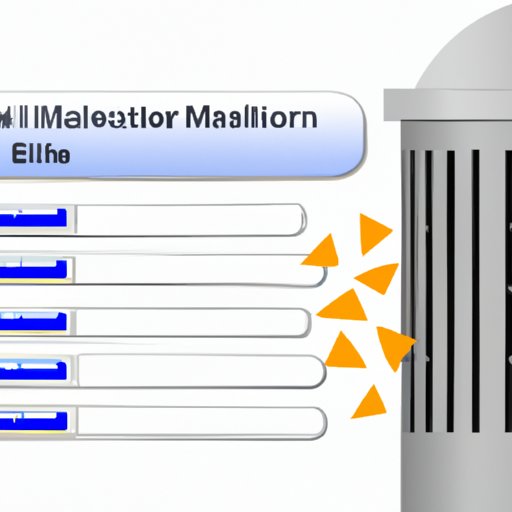
Another method for mass deleting emails is to use email filters. Email filters allow you to create rules that automatically sort and delete emails based on certain criteria. For example, you can create a filter that will delete any emails older than a certain date, or any emails sent from a particular sender. This is a great way to quickly clean up your inbox without having to manually select each email.
The first step in using email filters for mass email deletion is to set up a filter. This can be done by selecting the “filters” option in your email settings. From here, you can specify the criteria for the filter and assign an action such as “delete” or “move to trash.”
Once the filter has been created, the next step is to apply it to existing messages. This can be done by selecting the “apply filter” option in the filters menu. This will apply the filter to all emails in the selected folder. Any emails that match the criteria of the filter will be deleted or moved to the trash.
Finally, you can delete the filtered messages. This can be done by selecting the “empty trash” option in the filters menu. This will delete all emails that have been filtered out of the selected folder.
Using Automation Tools for Bulk Email Deletion
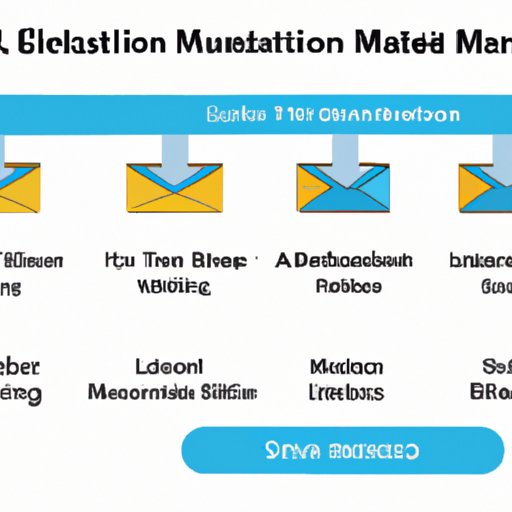
Automation tools are another great option for mass deleting emails. These tools allow you to set up automated rules that will delete emails based on certain criteria. For example, you can set up a rule to delete all emails from a particular sender or all emails older than a certain date. This is an effective way to quickly clean up your inbox without having to manually select each email.
The first step in using automation tools for mass email deletion is to introduce the tool. This can be done by downloading the software and setting up an account. Once the tool is installed, the next step is to set up automated rules. This can be done by selecting the “rules” option in the software and specifying the criteria for the rule. Finally, you can execute the rule by selecting the “run” option.
This will delete all emails that match the criteria of the rule. It is important to note that some automation tools may require you to manually delete the emails after they have been filtered out. Be sure to read the documentation carefully before using the software.
Exploring Keyboard Shortcuts for Quicker Email Deletion
Keyboard shortcuts are another great way to quickly delete multiple emails at once. Most email providers have a list of keyboard shortcuts that can be used to perform various tasks. It is important to familiarize yourself with these shortcuts as they can save you a lot of time when dealing with large volumes of emails.
The first step in using keyboard shortcuts for mass email deletion is to list the common shortcuts. This can be done by checking the help section of your email provider. The most commonly used shortcuts are “Ctrl + A” to select all emails and “Delete” to delete them. It is important to remember that some email providers may use slightly different shortcuts.
Once you are familiar with the shortcuts, the next step is to understand how to use them. This can be done by selecting the emails you want to delete and then pressing the appropriate shortcut. For example, if you are using the “Ctrl + A” shortcut, you would press “Ctrl + A” to select all emails and then “Delete” to delete them.
Finally, you can execute mass email deletion with keyboard shortcuts. This can be done by selecting the emails you want to delete and then pressing the appropriate shortcut. This is a great way to quickly delete multiple emails at once.
Utilizing Third-Party Apps for More Efficient Email Deletion
Third-party apps are another great option for mass deleting emails. These apps allow you to quickly and easily delete multiple emails at once. They also provide additional functionality such as the ability to automate email deletion and set up filters. This makes them an ideal choice for those who need to quickly delete large volumes of emails.
The first step in using third-party apps for mass email deletion is to find and install the right app. This can be done by searching online for email management apps or checking the app store for your email provider. Once the app is installed, the next step is to set up automated rules or filters. This can be done by selecting the “rules” or “filters” option in the app and specifying the criteria for the rule.
Finally, you can use the app to mass delete emails. This can be done by selecting the emails you want to delete and then pressing the “delete” button. This will delete all emails that match the criteria of the filter or rule. It is important to note that some apps may require you to manually delete the emails after they have been filtered out.

Leveraging Email Clients for Mass Email Delete
Email clients are another great option for mass deleting emails. These programs allow you to manage multiple email accounts from a single interface. They also provide additional features such as the ability to set up automated rules and filters. This makes them an ideal choice for those who need to quickly delete large volumes of emails.
The first step in using an email client for mass email deletion is to install the program. This can be done by downloading the software and setting up an account. Once the program is installed, the next step is to set up automated rules or filters. This can be done by selecting the “rules” or “filters” option in the program and specifying the criteria for the rule.
Finally, you can use the email client to mass delete emails. This can be done by selecting the emails you want to delete and then pressing the “delete” button. This will delete all emails that match the criteria of the filter or rule. It is important to note that some email clients may require you to manually delete the emails after they have been filtered out.
Conclusion
Mass email deletion is a tedious but necessary task. Fortunately, there are several efficient methods for quickly deleting multiple emails at once. In this article, we explored how to delete all your emails at once. We discussed step-by-step guides, email filters, automation tools, keyboard shortcuts, third-party apps, and email clients. By leveraging these tools and techniques, you can quickly and easily delete all your emails at once.
If you still find yourself overwhelmed by the task of mass deleting emails, there are services available that can help. Many companies offer email management solutions that can automate the process for you. These services can be invaluable in helping you to quickly and efficiently manage your emails.
(Note: Is this article not meeting your expectations? Do you have knowledge or insights to share? Unlock new opportunities and expand your reach by joining our authors team. Click Registration to join us and share your expertise with our readers.)