
Introduction
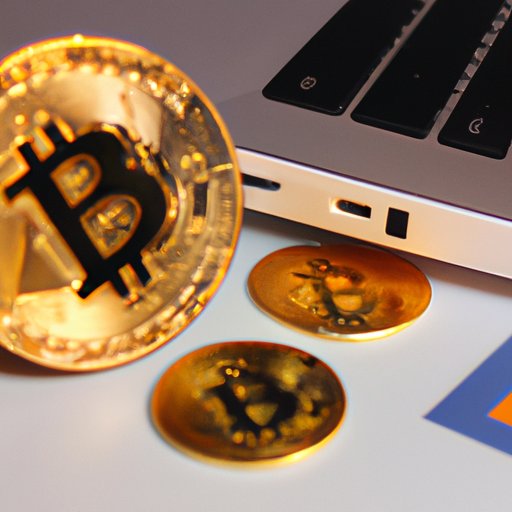
Bitcoin is a digital currency that has been gaining popularity over the past few years. It is decentralized, meaning it is not controlled by any government or central authority. As a result, it can be used to make transactions without the need for third-party involvement. This makes it attractive to those who want to make secure, private payments without the risk of fraud or identity theft.
The process of transferring money to bitcoin can be intimidating for those who are unfamiliar with the technology. In this article, we’ll provide a step-by-step guide to help you get started.

Sign Up for a Bitcoin Wallet and Exchange Service
The first step in transferring money to bitcoin is to sign up for a bitcoin wallet and exchange service. A bitcoin wallet is a software program where bitcoins are stored. An exchange service is an online platform that allows users to buy and sell cryptocurrencies.
Choose an Exchange Platform
When choosing an exchange platform, it’s important to do some research. Read reviews and compare fees, security measures, customer service, and other features. Popular exchange platforms include Coinbase, Gemini, Kraken, and Binance.
Create an Account
Once you’ve chosen an exchange platform, create an account. You’ll need to provide personal information such as your name, address, and phone number. You may also be asked to provide a government-issued ID and proof of address.
Link Your Bank Account to the Bitcoin Wallet
Once you’ve created an account, you’ll need to link your bank account to the bitcoin wallet. This will allow you to transfer funds from your bank account to your bitcoin wallet.
Confirm Your Bank Account
The exchange platform will prompt you to confirm your bank account by entering your account details. This process ensures that the funds you transfer will go to the correct account.
Set Up Your Bitcoin Wallet
Once your bank account is confirmed, you’ll need to set up your bitcoin wallet. This involves generating a unique address that will be used to receive funds from your bank account. The exchange platform will provide instructions on how to do this.

Buy Bitcoins with Your Bank Account
Once your bitcoin wallet is set up, you’re ready to start buying bitcoins. There are two ways to do this: sending funds from your bank account or using a debit card.
Send Funds from Your Bank Account
To send funds from your bank account, log in to the exchange platform and select “buy/sell”. Enter the amount of money you want to transfer and select “bank transfer” as the payment method. Follow the instructions to complete the transaction.
Use Exchange Platform to Purchase Bitcoin
You can also purchase bitcoin directly from the exchange platform. Log in to the platform and select “buy/sell”. Enter the amount you want to spend and select “credit/debit card” as the payment method. Follow the instructions to complete the transaction.
Use a Debit Card to Purchase Bitcoin
If you don’t want to link your bank account to the bitcoin wallet, you can use a debit card to purchase bitcoin. Look for exchange platforms that accept debit cards and follow the instructions to make the transaction.
Look for Exchange Platforms that Accept Debit Cards
Not all exchange platforms accept debit cards, so you’ll need to look for one that does. Read reviews and compare fees, security measures, customer service, and other features.
Follow Instructions to Make the Transaction
Once you’ve chosen an exchange platform, log in to the platform and select “buy/sell”. Enter the amount you want to spend and select “debit card” as the payment method. Follow the instructions to complete the transaction.

Use an Online Money Transfer Service to Send Funds to a Bitcoin Wallet
Another option is to use an online money transfer service to send funds to a bitcoin wallet. This allows you to send money from your bank account to a bitcoin wallet without having to link your bank account to the bitcoin wallet.
Verify Your Account with the Money Transfer Service
Before you can use the money transfer service, you’ll need to verify your account. This usually involves providing personal information such as your name, address, and phone number.
Select Bitcoin as the Recipient Currency
Once your account is verified, you’ll need to select bitcoin as the recipient currency. Follow the instructions to complete the transfer.
Follow Instructions to Complete the Transfer
Once you’ve selected bitcoin as the recipient currency, follow the instructions to complete the transfer. This usually involves entering the bitcoin wallet address and the amount you want to transfer.
Exchange Goods or Services for Bitcoin
Finally, you can exchange goods or services for bitcoin. This is a great option if you have something of value that you can offer in exchange for bitcoin.
Find Merchants Who Accept Bitcoin
The first step is to find merchants who accept bitcoin. You can search online for businesses that accept bitcoin as payment. You can also use payment platforms such as BitPay to accept payments in bitcoin.
Use Payment Platforms to Exchange Goods or Services for Bitcoin
Once you’ve found a merchant who accepts bitcoin, you can use payment platforms such as BitPay to exchange goods or services for bitcoin. Follow the instructions to complete the transaction.
Conclusion
Transferring money to bitcoin can seem daunting at first, but with the right tools and guidance, it doesn’t have to be. By signing up for a bitcoin wallet and exchange service, linking your bank account, buying bitcoins with your bank account or debit card, using an online money transfer service, and exchanging goods or services for bitcoin, you can easily transfer money to bitcoin.
Whether you’re looking to invest in bitcoin or make secure payments, this step-by-step guide should help you get started.
(Note: Is this article not meeting your expectations? Do you have knowledge or insights to share? Unlock new opportunities and expand your reach by joining our authors team. Click Registration to join us and share your expertise with our readers.)