
Introduction
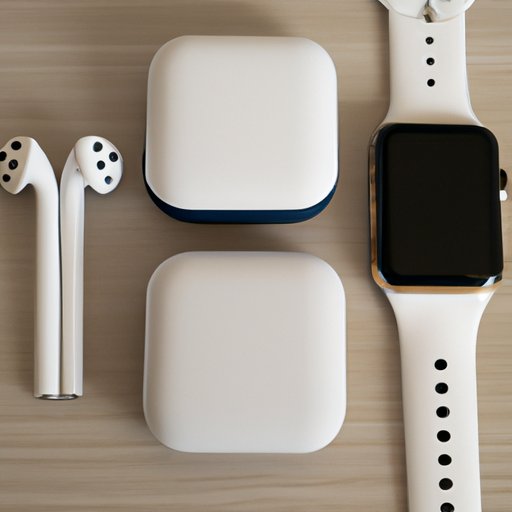
The Apple Watch is a great device for staying connected and staying active, but it can also be used to listen to music. Unfortunately, if you don’t have your phone with you, it can be difficult to know how to listen to music on your Apple Watch. In this article, we will explore different ways to listen to music on an Apple Watch without having to rely on your phone.

Pairing AirPods with Apple Watch
One of the easiest and most convenient ways to listen to music on your Apple Watch is to pair it with your AirPods. If you already own AirPods, or are planning to buy some, here are the steps for pairing them with your Apple Watch:
Benefits of using AirPods: AirPods provide a wireless and hassle-free way to listen to music on your Apple Watch. Plus, they are very lightweight and come with a charging case that allows you to recharge them on the go.
Steps for pairing AirPods with Apple Watch:
- Make sure your AirPods are charged and in range of your Apple Watch.
- On your Apple Watch, open the Settings app.
- Tap on Bluetooth.
- Tap on the AirPods option.
- Your AirPods should now be paired with your Apple Watch.
Download Music to Apple Watch
Another way to listen to music without your phone is to download music directly to your Apple Watch. This requires a bit more setup, but it can be worth it if you want to listen to music without having to carry around your phone.
Benefits of downloading music to Apple Watch: Downloading music directly to your Apple Watch allows you to listen to music without relying on your phone. Plus, you can store up to 2GB of music on your Apple Watch, so you can take your favorite tunes with you wherever you go.
Steps for downloading music to Apple Watch:
- Open the Apple Watch app on your iPhone.
- Tap on Music.
- Tap on Add Music.
- Choose the songs or albums you want to add to your Apple Watch.
- Once you’ve chosen the songs or albums you want to add, tap on Add Music.
- Your music will now be downloaded to your Apple Watch.
Sync Music from iTunes
If you have a lot of music stored in iTunes, you can sync it to your Apple Watch. This is a great way to ensure that all of your favorite music is always available, no matter where you are.
Benefits of syncing music from iTunes: Syncing music from iTunes is a great way to make sure that you always have access to your music library. Plus, it’s easy to do and doesn’t require any extra equipment.
Steps for syncing music from iTunes:
- Open the Apple Watch app on your iPhone.
- Tap on Music.
- Tap on Sync Music.
- Choose the songs or albums you want to sync from iTunes.
- Once you’ve chosen the songs or albums you want to sync, tap on Sync Music.
- Your music will now be synced to your Apple Watch.

Stream Music Directly to Apple Watch
If you have a subscription to a streaming service, such as Apple Music or Spotify, you can stream music directly to your Apple Watch. This is a great way to stay connected to your favorite music while on the go.
Benefits of streaming music directly to Apple Watch: Streaming music directly to your Apple Watch allows you to access all of your favorite music no matter where you are. Plus, it’s easy to set up and doesn’t require any extra equipment.
Steps for streaming music directly to Apple Watch:
- Make sure your Apple Watch is connected to Wi-Fi or cellular data.
- Open the Music app on your Apple Watch.
- Tap on Library.
- Choose the song or album you want to play.
- Once you’ve chosen the song or album you want to play, tap on Play.
- Your music will now be streamed directly to your Apple Watch.
Use Bluetooth Headphones
Finally, if you don’t have AirPods or don’t want to download music to your Apple Watch, you can use Bluetooth headphones to listen to music. This is a great option if you want to keep your phone in your pocket while listening to music.
Benefits of using Bluetooth headphones: Using Bluetooth headphones allows you to keep your phone in your pocket while still being able to listen to music. Plus, most Bluetooth headphones are very lightweight and comfortable, making them perfect for listening to music on the go.
Steps for connecting Bluetooth headphones to Apple Watch:
- Make sure your Bluetooth headphones are charged and in range of your Apple Watch.
- On your Apple Watch, open the Settings app.
- Tap on Bluetooth.
- Tap on the Bluetooth headphones option.
- Your Bluetooth headphones should now be connected to your Apple Watch.
Conclusion
As you can see, there are several different ways to listen to music on your Apple Watch without having to rely on your phone. Whether you use AirPods, download music directly to your watch, sync music from iTunes, stream music directly to your watch, or use Bluetooth headphones, you can find a way to enjoy your favorite tunes while on the go.
(Note: Is this article not meeting your expectations? Do you have knowledge or insights to share? Unlock new opportunities and expand your reach by joining our authors team. Click Registration to join us and share your expertise with our readers.)