
Introduction
The iPhone has become one of the most popular mobile devices in the world, thanks to its intuitive design and powerful technology. One of the most common uses for an iPhone is as a digital music player, allowing users to store and access their music library wherever they go. However, many users are unaware that it is possible to download music onto an iPhone without the use of iTunes. This article will provide a comprehensive guide on how to do just that.
Utilizing Streaming Music Services
Streaming music services have become increasingly popular over the past few years, and for good reason. These services allow users to access a vast library of music, often for a low monthly subscription fee. There are several different streaming services available, such as Spotify, Apple Music, and Google Play Music, each offering different features and advantages. The benefits of using a streaming service are numerous, including the ability to easily discover new music and create custom playlists. In addition, some streaming services offer offline playback, which allows users to save songs for listening even when they don’t have an internet connection.
To download music via a streaming service, users must first sign up for an account. Once they have done so, they can then browse the service’s library of music and select the songs they wish to download. Depending on the streaming service, users may need to upgrade to a paid subscription plan in order to download songs. Once the songs have been selected, users can then download them to their device by tapping the “Download” button. The songs will then be saved to the device, allowing users to listen to them anytime.
Using Cloud Storage Solutions
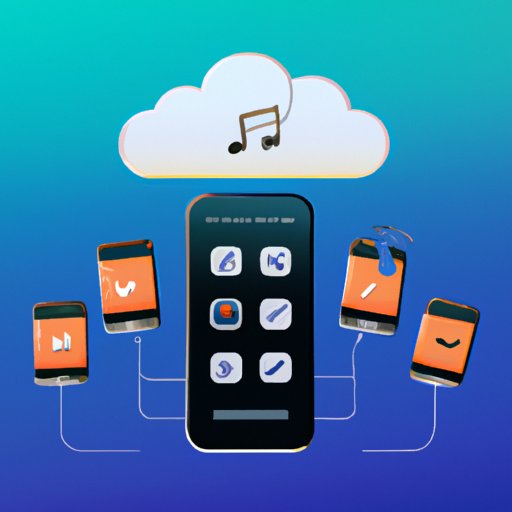
Cloud storage solutions are another great way to download music onto an iPhone without iTunes. These services allow users to upload their music library to the cloud, where it can then be accessed from any device with an internet connection. Popular cloud storage solutions include Dropbox, Google Drive, and iCloud. The benefits of using a cloud storage solution are numerous, including the ability to access music from any device, as well as the ability to share music with friends and family.
To download music via a cloud storage solution, users must first sign up for an account. Once they have done so, they can then upload their music library to the cloud. Depending on the cloud storage solution, users may need to upgrade to a paid subscription plan in order to upload large music libraries. Once the music has been uploaded, users can then access it from their iPhone by downloading the service’s app and signing in. The songs will then be downloaded to the device, allowing users to listen to them anytime.
Transferring Music from a Computer
Transferring music from a computer is another easy way to download music onto an iPhone without iTunes. This method involves transferring music files from a computer to an iPhone via a file transfer protocol (FTP) such as USB or Wi-Fi. The benefits of this method are numerous, including the ability to access music from any computer, as well as the ability to share music with friends and family. In addition, this method does not require a subscription or any additional software.
To transfer music from a computer to an iPhone, users must first connect their device to their computer via a USB cable or Wi-Fi network. Once the device is connected, users can then open the File Explorer on their computer and locate the songs they wish to transfer. They can then drag and drop the songs into the device’s Music folder. The songs will then be transferred to the device, allowing users to listen to them anytime.

Downloading Songs from the Web
Downloading songs from the web is another great way to download music onto an iPhone without iTunes. There are several websites that offer free downloads of songs, such as Soundcloud, Bandcamp, and Jamendo. The benefits of downloading songs from the web are numerous, including the ability to easily find new music and the freedom to download whatever songs you want. In addition, this method does not require a subscription or any additional software.
To download songs from the web, users must first locate the songs they wish to download. Once they have done so, they can then download the songs to their computer by clicking the “Download” button. Once the songs have been downloaded, users can then transfer them to their device by connecting their device to their computer via a USB cable or Wi-Fi network. The songs will then be transferred to the device, allowing users to listen to them anytime.
Syncing with Third-Party Apps
Syncing with third-party apps is another great way to download music onto an iPhone without iTunes. There are several apps available that allow users to sync their music library with their device, such as Syncios and CopyTrans. The benefits of using these apps are numerous, including the ability to easily manage and organize your music library, as well as the ability to transfer music from other devices. In addition, this method does not require a subscription or any additional software.
To sync music with a third-party app, users must first download the app to their device. Once the app is installed, users can then connect their device to their computer via a USB cable or Wi-Fi network. Once the device is connected, users can then open the app and select the songs they wish to sync. The songs will then be transferred to the device, allowing users to listen to them anytime.
Conclusion
Downloading music onto an iPhone without iTunes is entirely possible, and there are several different methods available. This article has provided a comprehensive guide on how to do just that, covering the use of streaming services, cloud storage solutions, file transfers from a computer, downloading songs from the web, and syncing with third-party apps. No matter which method you choose, you can rest assured that you will be able to enjoy your music library wherever you go.
(Note: Is this article not meeting your expectations? Do you have knowledge or insights to share? Unlock new opportunities and expand your reach by joining our authors team. Click Registration to join us and share your expertise with our readers.)