
Introduction
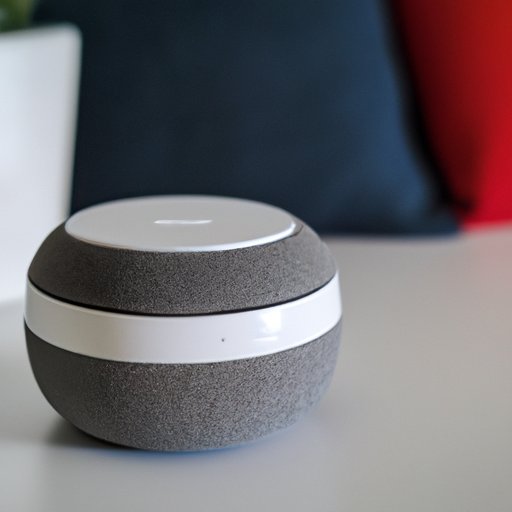
The Google Home Mini is a small yet powerful device that can be used to play music, answer questions, and control smart home appliances. It is part of the Google Home family of devices, which are designed to make life easier by allowing users to access information and services with a simple voice command. This article will provide a step-by-step guide on how to play music on the Google Home Mini.
Connecting a Phone or Tablet to the Google Home Mini
The first step to playing music on the Google Home Mini is to connect it to a compatible device such as a smartphone or tablet. To do this, open the Google Home app, then tap “Add” and select “Set up device”. Follow the instructions on the app to connect the device to the Google Home Mini. Once connected, you can use the app to control the Google Home Mini, including playing music.
Using Bluetooth to Stream Music from Other Devices
The Google Home Mini has built-in Bluetooth support, which means you can stream music from any compatible device. To do this, open the Google Home app, then tap the “Devices” tab and select “Bluetooth”. On the next screen, tap “Pair” to start the pairing process. Once paired, you can use the app to control the music playback on the Google Home Mini.

Setting Up Music Streaming Services like Spotify and Pandora
You can also use the Google Home Mini to access your favorite music streaming services such as Spotify and Pandora. To set up these services, open the Google Home app, then tap the “Services” tab and select the service you want to add. Follow the instructions on the app to link the service to the Google Home Mini. Once linked, you can use the app to control the music playback on the Google Home Mini.

Creating Custom Playlists with Google Play Music
If you are a subscriber of Google Play Music, you can easily create custom playlists and access them on the Google Home Mini. To do this, open the Google Home app, then tap the “Playlists” tab and select “Create a Playlist”. Follow the instructions on the app to create your playlist. Once created, you can use the app to control the music playback on the Google Home Mini.
Broadcasting Live Radio Stations through TuneIn
The Google Home Mini also supports TuneIn, which allows you to listen to live radio stations from all over the world. To set up TuneIn, open the Google Home app, then tap the “Services” tab and select “TuneIn”. Follow the instructions on the app to link the service to the Google Home Mini. Once linked, you can use the app to control the music playback on the Google Home Mini.

Utilizing Voice Commands to Control Music Playback
Finally, you can use voice commands to control the music playback on the Google Home Mini. For example, you can say “Hey Google, play my favorite song” or “Hey Google, skip this song”. You can also ask Google to play specific albums, artists, and genres. The Google Home Mini is always learning, so it will get better at understanding your commands over time.
Conclusion
The Google Home Mini is an incredibly useful device for playing music. With its built-in Bluetooth support, you can stream music from any compatible device. You can also set up streaming services like Spotify and Pandora, create custom playlists with Google Play Music, and broadcast live radio stations through TuneIn. Finally, you can use voice commands to control the music playback on the Google Home Mini. All in all, the Google Home Mini is a great way to enjoy music in your home.
(Note: Is this article not meeting your expectations? Do you have knowledge or insights to share? Unlock new opportunities and expand your reach by joining our authors team. Click Registration to join us and share your expertise with our readers.)