
Introduction
Google Home automation is a technology that allows you to manage various aspects of your home remotely, such as lights, temperature, security systems, and other connected devices. It also offers voice control capabilities, allowing you to control your home using spoken commands. With Google Home automation, you can create custom automations, adjust settings remotely, and save energy by optimizing your home’s usage.
Overview of Google Home Automation
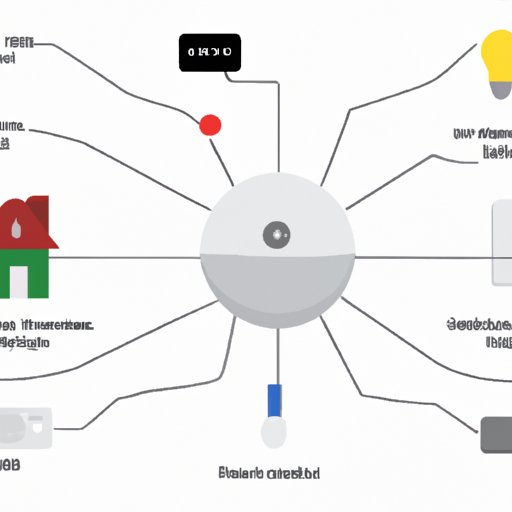
Google Home automation is a system that uses smart devices and an app to control various aspects of your home. It includes products like thermostats, lights, door locks, cameras, and other connected devices. You can use the Google Home app to monitor and control these devices, as well as set up custom automations. You can also use voice commands to control the devices through Google Assistant.
Google Home automation is designed to make your life easier. It can help you save energy by controlling your home’s temperature, lights, and security system remotely. You can also use it to create custom automations, such as automatically turning on the lights when you enter a room or unlocking the door when you arrive home. Additionally, you can use voice commands to control your home, making it easier to access and control the devices without having to manually adjust them.
Benefits of Google Home Automation
There are many benefits to using Google Home automation. It can help you save time and money by automating tasks that would otherwise require manual effort. For example, you can program the system to turn off the lights and lock the doors when you leave the house. This can help you save energy and reduce your carbon footprint.
Google Home automation can also enhance your security. By using motion sensors, you can be notified when someone enters your home, and you can even set up alerts if there is suspicious activity. Additionally, you can use the system to monitor your home when you’re away, so you can check in on your home from anywhere.
Finally, Google Home automation can make your life more convenient. By setting up custom automations, you can automate everyday tasks and make your home more efficient. For example, you can create a scene that turns on the lights and plays music when you enter a room, or set up voice commands to adjust the temperature or lock the doors.
Step-by-Step Guide: How to Setup Google Home Automation
Setting up Google Home automation is relatively straightforward. Here’s a step-by-step guide to help you get started:
1. Preparing Your Home
The first step is to determine what type of smart home devices you need and where they should be placed. Consider the size of your home and the areas you want to monitor and control. Research different types of devices to find the ones that best suit your needs.
2. Registering Your Home Automation System
Once you have the devices you need, the next step is to register your home automation system. You can do this by downloading the Google Home app and creating an account. This will allow you to connect your devices to the app and manage them remotely.
3. Connecting Your Smart Home Devices
After registering your system, the next step is to connect your devices. This process will vary depending on the type of device you’re connecting. Generally, you will need to follow the manufacturer’s instructions to connect the device to your network and the Google Home app.
4. Setting Up Voice Control
Once your devices are connected, you can set up voice control using Google Assistant. To do this, simply open the Google Home app and select “Voice Match”. This will allow you to control your devices using voice commands.
Exploring the Benefits of Google Home Automation
Google Home automation can offer a number of benefits, such as remote monitoring and control, customizable automations, and cost savings. Let’s take a closer look at each of these benefits.
Remote Monitoring & Control
One of the major benefits of Google Home automation is the ability to monitor and control your home remotely. With the Google Home app, you can view real-time data on your home’s temperature, lighting, security, and other connected devices. You can also adjust settings, such as turning on the lights or locking the doors, from anywhere.
Customizable Automations
Another benefit of Google Home automation is the ability to create custom automations. You can program the system to perform certain tasks, such as turning on the lights when you enter a room or playing music when you wake up. These automations can be tailored to your lifestyle and make your life easier.
Cost Savings
Google Home automation can also help you save money. According to a study conducted by the University of California, Berkeley, households that used smart home automation systems saved an average of 10% on their energy bills. This savings can add up over time, helping you save money on your utility bills.
Comparing Different Smart Home Automation Systems
When choosing a smart home automation system, it’s important to compare different options to find the one that best fits your needs. Here’s a comparison of some of the most popular automation systems:
Comparison of Popular Automation Systems
Google Home: Google Home automation is a cloud-based system that connects to your home’s Wi-Fi network. It offers voice control, remote monitoring and control, and customizable automations. It is compatible with a wide range of smart home devices.
Amazon Echo: Amazon Echo is another popular smart home automation system. Like Google Home, it offers voice control, remote monitoring and control, and customizable automations. However, it is not compatible with as many devices as Google Home.
Apple HomeKit: Apple HomeKit is a wireless home automation system designed for Apple devices. It offers remote monitoring and control, but does not offer voice control or customizable automations. It is compatible with a limited number of devices.
Factors to Consider When Selecting a System
When selecting a smart home automation system, there are several factors to consider. First, consider the types of devices you want to connect. Make sure the system you choose is compatible with the devices you need. Next, consider the features offered, such as voice control, remote monitoring and control, and customizable automations. Finally, consider the cost of the system and any additional fees associated with it.
DIY Guide: Setting Up Google Home Automation
If you want to install your own Google Home automation system, here’s a step-by-step guide to help you get started:
1. Installing Sensors & Controllers
The first step is to install the sensors and controllers you need for your system. This will depend on the type of devices you’re connecting and the areas you want to monitor and control. Follow the manufacturer’s instructions to install the devices.
2. Connecting Devices to the Internet
Once the sensors and controllers are installed, the next step is to connect them to the internet. This will allow you to control the devices remotely using the Google Home app. To do this, you will need to follow the manufacturer’s instructions and set up a Wi-Fi network.
3. Setting Up Voice Commands
Once your devices are connected to the internet, you can set up voice commands using Google Assistant. Open the Google Home app and select “Voice Match”. This will allow you to control your devices using voice commands.

Troubleshooting Common Issues with Google Home Automation
Google Home automation is a powerful system, but it’s not without its flaws. Here are some frequently asked questions and tips for resolving common issues.
Frequently Asked Questions
Q: Why isn’t my device connecting to the internet?
A: Make sure the device is in range of your Wi-Fi network. If it is, try resetting the device and reconnecting it to the network. If that doesn’t work, contact the manufacturer for assistance.
Q: Why isn’t my voice command working?
A: Make sure the device is in range of your Wi-Fi network. If it is, try restarting the device and/or the Google Home app. You may also need to update the app to the latest version.
Tips for Resolving Technical Issues
If you’re having trouble with your Google Home automation system, here are some tips to help resolve the issue:
- Check the device’s connection to the internet.
- Restart the device and/or the Google Home app.
- Update the Google Home app to the latest version.
- Contact the manufacturer for technical support.
Tips & Tricks for Making the Most of Google Home Automation
Google Home automation is a powerful system that can make your life easier. Here are some tips and tricks for making the most of your system:
Creating Custom Scenes
You can use Google Home to create custom scenes, which are pre-programmed automations that can be triggered with a single command. For example, you can create a scene that turns on the lights and sets the temperature to a comfortable level when you enter a room.
Utilizing Scheduling Features
Google Home also offers scheduling features that allow you to set specific times for automations to run. This can be useful for tasks such as turning on the lights in the morning or locking the doors at night. You can set up the schedule using the Google Home app.
Optimizing Voice Commands
Finally, you can optimize your voice commands using Google Assistant. This can help you control your devices faster and more accurately. You can customize your voice commands using the Google Home app.
Creating Custom Scenes & Automations with Google Home
Once you’ve set up your Google Home system, you can start creating custom scenes and automations. Here’s a step-by-step guide to help you get started:
Understanding Automation Triggers
The first step is to understand the different triggers available for automations. These include time, location, voice command, device state, and more. Once you understand the triggers, you can start setting up automations.
Setting Up Automations
Next, you can start setting up the automations. Open the Google Home app and select “Create Automation”. Then, select the trigger and action you want to use. For example, you can set up an automation that turns on the lights when you enter a room.
Testing & Troubleshooting Automations
Finally, you can test and troubleshoot your automations. Make sure the automations are working as expected and that they are triggered correctly. If you encounter any issues, you can refer to the Google Home app for troubleshooting tips.
Conclusion
Google Home automation is a powerful system that can make your life easier. It can help you save time and money by automating tasks, enhance your security, and provide remote monitoring and control. Additionally, you can create custom scenes and automations to make your home more efficient. With a bit of research and setup, you can start taking advantage of all the benefits of Google Home automation.
Summary of Google Home Automation Benefits
Google Home automation offers many benefits, such as:
- Remote monitoring and control
- Customizable automations
- Cost savings
Final Thoughts on Smart Home Automation
Smart home automation is becoming increasingly popular, as it offers a number of benefits. With Google Home automation, you can enjoy all the benefits of a smart home without spending a lot of time or money. With a bit of setup and research, you can start taking advantage of all the benefits of Google Home automation.
(Note: Is this article not meeting your expectations? Do you have knowledge or insights to share? Unlock new opportunities and expand your reach by joining our authors team. Click Registration to join us and share your expertise with our readers.)