
Introduction
A virtual tour is a computer-generated simulation of a physical location that allows people to explore and interact with the environment from any device. It can be used for a variety of purposes, including showcasing a business or property, providing an educational experience, or simply allowing people to explore a new place. Creating a virtual tour is a great way to engage customers and give them an immersive experience.
Utilizing a 360-degree Camera to Capture Images of the Tour Location
The first step in creating a virtual tour is to capture images of the tour location using a 360-degree camera. A 360-degree camera is a type of camera that captures a full 360-degree field of view, which allows for the creation of immersive experiences. Selecting the right camera for the job is important; it should have enough resolution to capture the details of the tour location, as well as features such as image stabilization and HDR (high dynamic range) support.
Once you’ve selected the camera, take pictures of the tour location from different angles and distances. This will ensure that the tour is comprehensive and engaging. Make sure to take both wide shots and close-ups of the area so that viewers can get a sense of the entire space.
Using Online Mapping Tools to Create an Interactive Map Highlighting the Tour Locations
After capturing the images of the tour location, you can use online mapping tools to create an interactive map highlighting the tour locations. There are many different online mapping tools available, such as Google Maps, Bing Maps, and OpenStreetMap. Each tool has its own set of features and capabilities, so it’s important to select the one that best suits your needs.
Once you’ve found a suitable online mapping tool, use it to create an interactive map of the tour locations. This will allow viewers to easily navigate the tour and explore the various areas. You can also add markers to the map to highlight specific points of interest.
Creating a Virtual Reality Experience Using Free Online Software such as WebVR
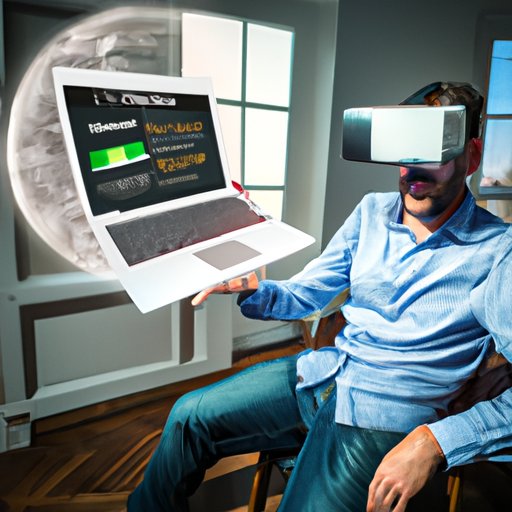
To create a truly immersive experience, you can use free online software such as WebVR to create a virtual reality tour. WebVR is an open source JavaScript API that enables developers to create virtual reality experiences for the web. It supports a wide range of devices, including desktop computers, smartphones, and head-mounted displays.
Using WebVR, you can create a virtual reality tour that allows viewers to explore the tour location in a more immersive way. You can add interactive elements such as text, images, audio, and other features to enhance the experience.
Using Free Video Editing Software to Compile and Edit the Video Footage of the Tour
Once you’ve captured the images and created the interactive map, you’ll need to compile and edit the video footage of the tour. To do this, you’ll need to select a suitable video editing software. There are many free video editing software options available, such as Adobe Premiere Rush, iMovie, and Windows Movie Maker.
Using the video editing software, compile the footage of the tour into a single video and edit it to make sure it’s clear and engaging. You can add text, images, audio, and other features to enhance the video. You can also use the software to add transitions and other effects to make the tour more engaging.
Incorporating Text, Images, Audio, and Other Features into the Tour
Once you’ve compiled and edited the video footage of the tour, you can add text, images, audio, and other features to enhance the experience. Adding text and images will help viewers understand the tour better, while adding audio will make the experience more immersive. You can also add interactive elements such as hotspots, which will allow viewers to explore the tour in more detail.
When adding these features, make sure they are properly formatted and optimized for the platform you’re using. For example, if you’re uploading the tour to YouTube, make sure the video is properly compressed and optimized for streaming. If you’re embedding the tour on a website, make sure the images and audio files are properly sized and compressed.
Uploading the Tour to Social Media Platforms or Embedding it on a Website
Once you’ve added all the features to the tour, you’ll need to prepare it for upload. If you’re uploading the tour to social media platforms such as YouTube, Facebook, and Instagram, make sure the video is properly optimized for each platform. If you’re embedding the tour on a website, make sure the code is properly formatted and optimized for the platform.
Once you’ve prepared the tour for upload, you can upload it to the desired platform or embed it on the website. This will allow viewers to access the tour from any device.
Promoting the Tour by Sharing it With Your Friends and Followers
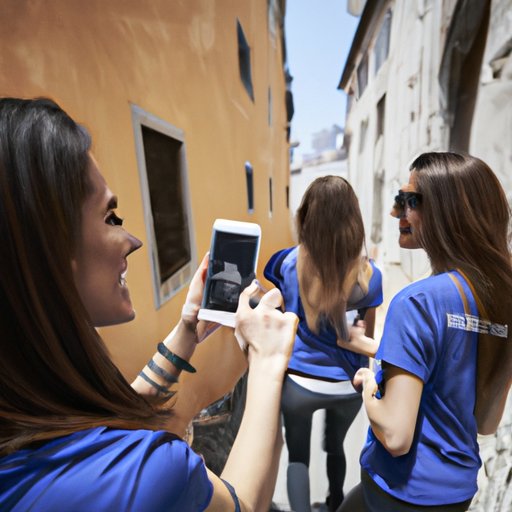
Now that the tour is uploaded, you can start promoting it. Create a promotional plan that includes sharing the tour with friends and followers on social media platforms, blogging about it, and reaching out to influencers. You can also use paid advertising to reach a wider audience.
Sharing the tour with friends and followers is a great way to increase awareness and engagement. Ask them to share the tour with their friends and followers as well, and offer incentives such as discounts or giveaways to encourage them to do so.
Conclusion
Creating a virtual tour is a great way to engage customers and give them an immersive experience. This article outlined the steps for creating a virtual tour for free, including utilizing a 360-degree camera to capture images of the tour location, using online mapping tools to create an interactive map, creating a virtual reality experience using free online software such as WebVR, using free video editing software to compile and edit the video footage of the tour, incorporating text, images, audio, and other features into the tour, uploading the tour to social media platforms or embedding it on a website, and promoting the tour by sharing it with your friends and followers.
By following these steps, you can create a virtual tour for free that will engage customers and give them an immersive experience. So, what are you waiting for? Start creating your virtual tour today!
(Note: Is this article not meeting your expectations? Do you have knowledge or insights to share? Unlock new opportunities and expand your reach by joining our authors team. Click Registration to join us and share your expertise with our readers.)